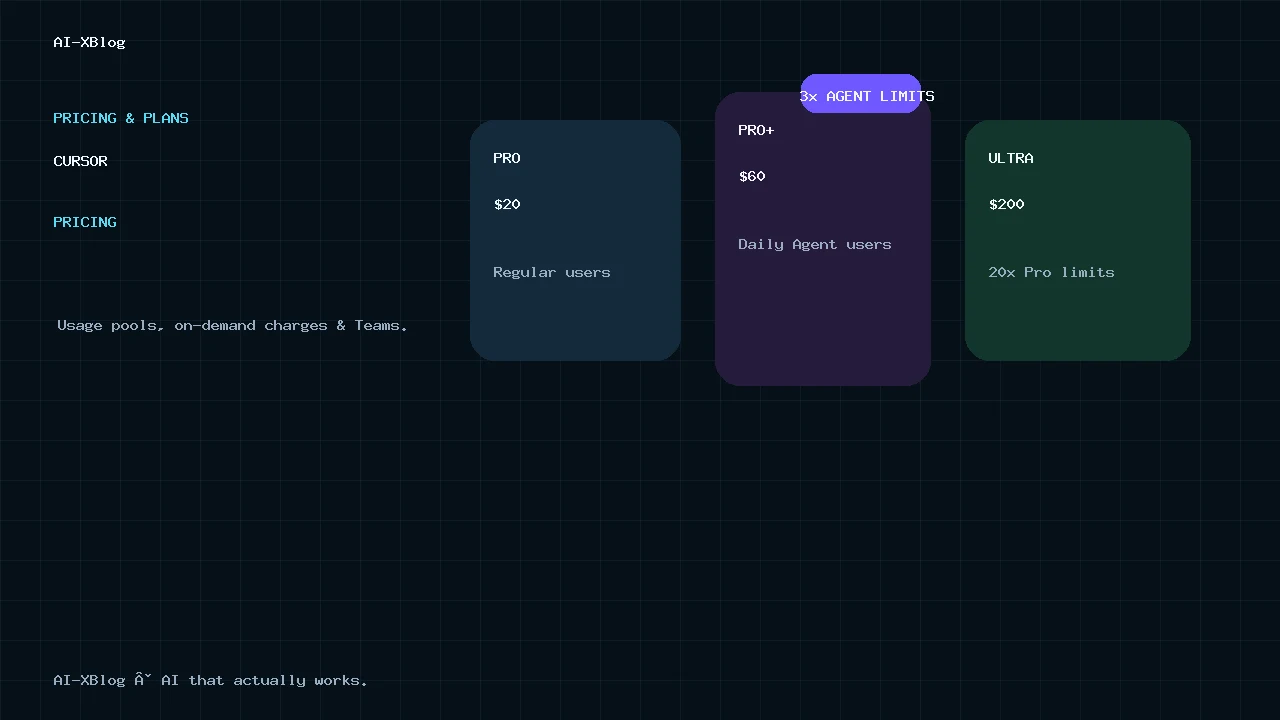
Cursor pricing in 2026 is no longer just a simple $20-per-month software subscription. The current lineup spans a free Hobby plan, Pro at $20/month, Pro+ at $60/month, Ultra at $200/month, Teams Standard at $40 per user per month, Teams Premium at $120 per user per month, and custom Enterprise pricing. Cursor also has an India-only Start plan at ₹649/month.
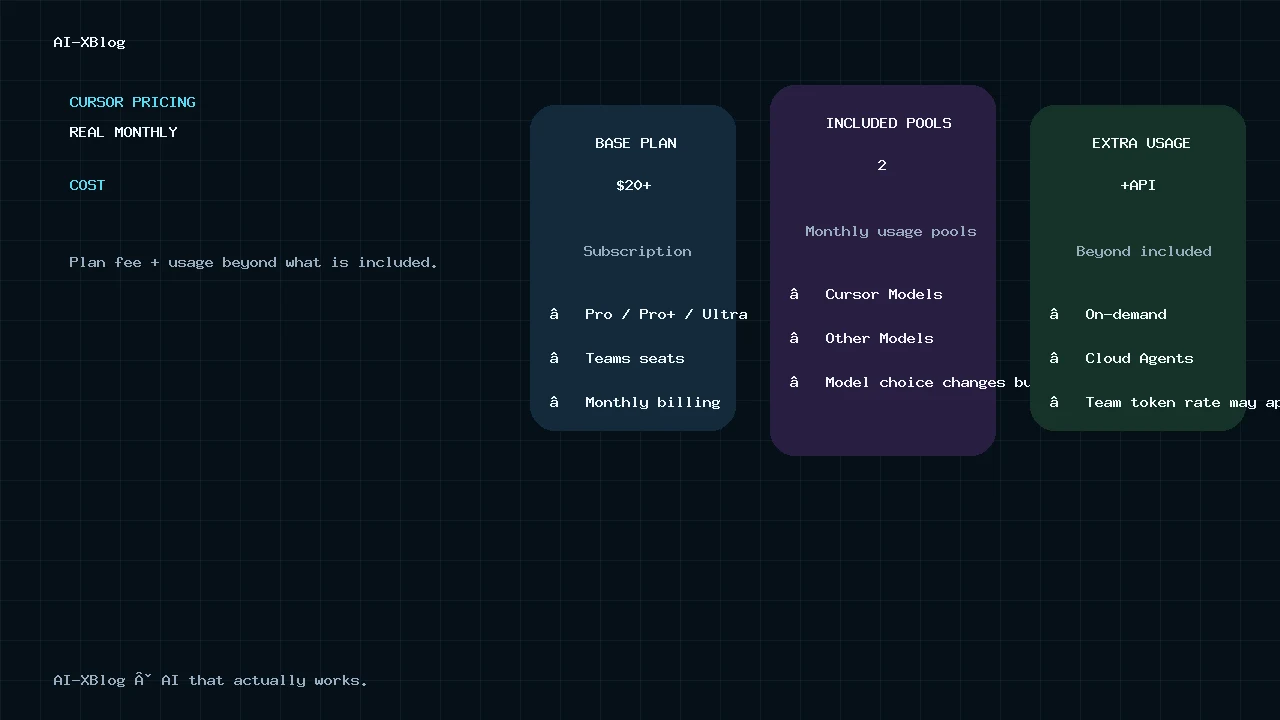
The more important change is how usage is billed. Paid Cursor plans now combine a base subscription with monthly usage pools, optional on-demand usage, model-specific API-rate consumption, and separate economics for Cloud Agents and team usage. A plan that looks like “$20/month” can therefore cost more if you run agents heavily or enable pay-as-you-go usage.
Methodology: this is a documentation-verified pricing guide based on Cursor’s current pricing page, Models & Pricing documentation, billing help, Teams pricing, Cloud Agents documentation and pricing policy, checked September 24, 2026. AI-XBlog is not presenting this article as a hands-on billing test. Prices, model rates and included usage can change, so we treat this as living content.
Cursor pricing at a glance
| Plan | Current price | Who it is for | Key pricing note |
|---|---|---|---|
| Hobby | Free | Trying Cursor or light use | Limited Agent requests; no paid subscription required |
| Start | ₹649/month, tax included | Developers in India using Cursor’s own model pool | India only; does not include the third-party model pool or on-demand usage |
| Pro | $20/month | Regular individual users | Includes both monthly usage pools, Cloud Agents and Grok Bot access |
| Pro+ | $60/month | Daily Agent users | 3× Pro Agent limits plus higher Grok Bot usage |
| Ultra | $200/month | Heavy Agent and automation users | 20× Pro Agent limits plus the highest Grok Bot usage |
| Teams Standard | $40/user/month | Teams that need administration, SSO and shared workflows | $32/user/month on annual billing according to Cursor’s 2026 Teams pricing update |
| Teams Premium | $120/user/month | Heavy Agent users inside a team | 5× Standard usage; $96/user/month on annual billing |
| Enterprise | Custom | Organizations needing pooled usage, SCIM, invoicing or advanced controls | Contact sales |
Cursor’s public pricing page also advertises a 20% discount for yearly billing. Taxes are not included in the headline prices for the global individual plans.
The biggest pricing change: Cursor now has two usage pools
Looking only at the subscription fee is the easiest way to misunderstand Cursor’s current pricing. Pro, Pro+ and Ultra include two separate monthly usage pools:
- Cursor Models pool: usage for Cursor’s current first-party model lineup. Cursor’s current Models & Pricing documentation now names Grok 4.7, Grok 4.6, Grok 4.5 and Composer 2.5 in this pool.
- Other Models pool: usage for supported third-party frontier models, consumed at the model provider’s API price.
Both pools reset with the monthly billing cycle. Unused usage does not roll over. Your model choice therefore changes how quickly the included allowance is consumed: an expensive frontier model can burn through the Other Models pool much faster than a cheaper model.
Cursor does not reduce request quality or speed after you hit the included allowance. Instead, you either stop at the plan limit, enable on-demand usage, or move to a higher tier.
Hobby: free, but deliberately limited
Cursor Hobby costs $0 and does not require a credit card. It is appropriate for evaluating the editor, trying Cursor’s core workflow and using a limited number of Agent requests.
It is not the plan to use as a proxy for serious daily Agent usage. Cursor’s current product direction increasingly centers on agents, cloud execution and model usage, and those are the areas where the paid tiers matter.
Cursor Start: a separate India-only plan
Cursor Start is available only to developers in India at ₹649 per month, tax included. It is structurally different from Pro rather than simply being a cheaper regional version of the same package.
- It includes the Cursor Models usage pool.
- It does not include the third-party Other Models pool.
- It does not include on-demand usage.
- It does not include Auto, Automations, Bugbot or the Cursor SDK.
- It does include Cloud Agents, iOS access, plugins, MCP servers, hooks and skills.
If third-party frontier models are central to your workflow, Start is not a substitute for Pro.
Cursor Pro: $20/month is the real entry point for regular Agent use
Pro is the standard individual paid plan at $20 per month. It adds extended Agent limits, access to frontier models, MCPs, skills, hooks, Cloud Agents, usage-based Bugbot access, and Grok Bot. Cursor’s current pricing page and Grok Bot plan documentation say paid individual plans include a weekly Grok Bot allowance; Pro is the entry paid tier, while higher plans raise that included usage.
For developers who use Cursor as an AI-native editor but do not run agents continuously throughout the day, Pro is the logical starting tier. The important caveat is that $20 is the subscription price, not a promise that every model and every Agent workload is unlimited.
If your actual decision is between Cursor as the development environment and Claude Code as an agent layer across terminal, IDE and cloud workflows, see our Cursor vs Claude Code in 2026 comparison.
Cursor Pro+: $60/month for daily Agent users
Pro+ costs $60 per month. Cursor’s public pricing page describes it as providing 3× the Pro Agent limits, while keeping the same core product features such as frontier-model access, Cloud Agents, MCPs, skills and hooks. It also includes a higher weekly Grok Bot allowance than Pro; Cursor does not publish a fixed message count because Grok Bot usage is metered by the work performed rather than by a simple message quota.
This tier matters because Cursor’s own documentation says daily Agent users often land around $60–$100 per month in total usage. That is not a guaranteed bill and should not be treated as a quota. It is Cursor’s own guidance for the level of usage a daily Agent workflow can create.
Cursor Ultra: $200/month for power users
Ultra costs $200 per month and currently provides 20× the Pro Agent limits. Cursor positions it for the heaviest individual users and gives it the highest usage limits plus priority access to new features. The current plan also carries the highest included Grok Bot weekly usage among Cursor’s paid individual tiers.
Cursor’s documentation says power users running multiple agents or automations can often reach $200 or more per month in total usage. That makes Ultra less surprising when viewed as a usage bundle for heavy agentic development rather than as a conventional editor subscription.
What happens when you exceed included usage?
On paid plans that support it, you can enable on-demand usage. Once the included usage is exhausted, additional model usage continues at API rates and appears separately from the base subscription.
- On-demand usage must be explicitly enabled.
- It appears as a separate usage line or invoice from the subscription.
- You can disable it if you want requests to stop when included usage is gone.
- The dashboard separates included usage from on-demand usage.
This is an important budget control. A $20 Pro subscription with on-demand usage enabled does not create a $20 hard cap.
Cloud Agents can add meaningful model cost
Cursor Cloud Agents run remotely rather than inside your local editor. Cursor states that Cloud Agents are charged at API pricing for the selected model. Larger context windows can increase token usage and therefore cost, and Cursor asks users to set a spend limit when first using Cloud Agents.
This matters when you move from interactive coding to delegated work. A developer who occasionally asks an Agent for an edit has a different cost profile from someone running several remote agents in parallel or using scheduled Automations.
That broader shift is part of the move toward agentic software operations. Our AI Agents in 2026 guide explains why parallel agents, tool access and long-running execution increase both capability and operating cost.
Auto is not a free model-selection lane
Cursor Router can choose a model automatically, but current documentation is explicit: all Auto modes bill at the list price of the model that actually handles the request. If Auto routes a request to a more expensive third-party model, the usage reflects that model’s rate.
That is why old advice based on fixed request counts or the assumption that Auto is effectively free can be misleading in 2026.
Teams Standard vs Premium
Cursor Teams has two paid seat types plus a free admin-only seat:
| Seat | Monthly | Annual-billing equivalent | Usage model |
|---|---|---|---|
| Standard | $40/user/month | $32/user/month | Standard Teams allowance |
| Premium | $120/user/month | $96/user/month | 5× Standard included usage |
| Unpaid Admin | $0 | $0 | Administration only; no Cursor access |
Teams also adds centralized billing and administration, a team marketplace, usage analytics, team-wide privacy-mode enforcement, SAML/OIDC SSO, Cloud Agents and Automations with shared team context, Bugbot code review, plus the new Rollouts and Security Review bots.
Usage is allocated per paid user and does not transfer between team members. That makes Premium useful for a small number of very heavy users without forcing the entire team onto the higher seat tier.
September 23 update: Rollouts and Security Review are now included on Teams and Enterprise
Cursor launched two new shipping-focused bots on September 23, 2026: Rollouts and Security Review. Both are available on Teams and Enterprise plans, which makes the business tiers materially more than shared billing and admin controls. Rollouts watches a change as it deploys and reports health per environment, while Security Review reads pull requests in the context of the codebase and reports exploitable bugs.
Rollouts can build a monitoring plan from the PR, deployment system, logs, metrics and traces, then report whether the change is healthy, regressed or inconclusive. If it detects a regression, it can open a revert PR for review or hand the finding to a cloud agent for a fix; Cursor says it does not merge or roll back on its own today. Security Review focuses on exploitable issues such as injection, authentication or authorization bypasses, exposed secrets, SSRF, unsafe deserialization and vulnerable dependency changes. Bugbot remains responsible for style and general code-quality review.
Availability and trial credits: Cursor says both bots can be enabled from the Automations tab on Teams and Enterprise. For the first 10 days after launch, Cursor is including usage credits for roughly 50 changes on Teams and 500 changes on Enterprise so organizations can test Rollouts on real deployments. See Cursor’s official Rollouts and Security Review changelog.
The Cursor Token Rate applies to Teams and Enterprise
On Teams and Enterprise, third-party model requests carry an additional Cursor Token Rate of $0.25 per million tokens. Cursor states that this applies to included usage, on-demand usage and BYOK requests when a third-party model is selected or Auto routes to one.
Cursor’s own first-party models are exempt from that Token Rate.
Can you bring your own API key?
Yes, but the economics differ by plan.
- Individual Pro / Pro+ / Ultra: supported BYOK model requests are billed directly by the model provider and do not draw from Cursor’s included usage pools.
- Teams / Enterprise: the model provider still bills the model cost, while Cursor applies the $0.25-per-million-token Cursor Token Rate to third-party requests.
BYOK therefore does not automatically mean “no Cursor-related usage cost” on team plans.
Cursor Enterprise pricing
Enterprise pricing is custom. Cursor positions Enterprise for organizations that need pooled usage, invoice billing, SCIM provisioning, audit logs, priority support and more advanced security or administrative controls.
For many companies, the important distinction is not simply Standard versus Enterprise. It is whether per-user usage pools are acceptable, or whether the organization needs pooled capacity and centralized commercial terms.
How to estimate your real Cursor cost
A useful budget model is:
Real monthly Cursor cost = subscription or seat fees + on-demand model usage + Cloud Agent usage + applicable team token-rate charges + taxes.
Do not try to convert a plan into one universal “requests per month” number. Agent requests vary enormously in context length, model choice, tool calls and output size. Two developers on the same plan can consume very different amounts of included usage.
Which Cursor plan should you choose?
| If this describes you | Start with | Why |
|---|---|---|
| I am only testing Cursor or use Agent occasionally | Hobby | Learn the workflow before paying |
| I use Cursor regularly but Agent usage is still moderate | Pro | Full individual paid feature set at the lowest global paid tier |
| I use Agent most workdays | Pro+ | Higher included Agent limits align better with daily use |
| I run multiple agents, automations or very heavy daily workloads | Ultra | Highest individual included limits |
| We need SSO, centralized billing and shared team controls | Teams Standard | Business administration without Enterprise procurement |
| A few team members consume much more Agent usage than everyone else | Teams Premium for those users | 5× Standard usage without upgrading every seat |
| We need pooled usage, SCIM, invoices or advanced governance | Enterprise | Those requirements are explicitly positioned above self-serve Teams |
If you are comparing the cost of Cursor with Claude’s broader individual and team subscriptions, our Claude Pricing in 2026 guide explains Pro, Max, Team and Enterprise pricing separately.
Three Cursor pricing mistakes to avoid
- Assuming Pro is a $20 hard cap. It is not if you enable on-demand usage.
- Comparing plans by request count alone. Model cost, context size and agent behavior matter more under the current usage model.
- Ignoring remote-agent cost. Cloud Agents can consume API-priced model usage and should have spend limits.
FAQ
How much does Cursor Pro cost?
Cursor Pro currently costs $20 per month before applicable taxes. Yearly billing is advertised at a 20% discount.
What is the difference between Cursor Pro, Pro+ and Ultra?
The main difference is included Agent and Grok Bot usage. Pro is $20/month, Pro+ is $60/month with 3× Pro Agent limits and a higher weekly Grok Bot allowance, and Ultra is $200/month with 20× Pro Agent limits and the highest included Grok Bot usage on Cursor’s current public pricing.
Can Cursor cost more than the subscription price?
Yes. If on-demand usage is enabled, usage beyond the included monthly allowance is billed separately at API rates. Cloud Agents also use API-priced model consumption.
Is Cursor Teams $40 per user?
Teams Standard is currently $40 per user per month on monthly billing. Cursor’s 2026 Teams pricing update lists an annual-billing equivalent of $32 per user per month. Premium is $120 monthly or $96 per user per month on annual billing.
Is Cursor Ultra unlimited?
No. Ultra has much higher included Agent limits than Pro, but Cursor’s current pricing system still uses usage pools. Heavy workloads can consume the included usage, after which on-demand usage or another commercial arrangement may apply.
Bottom line
Cursor Pro is the sensible starting point for most regular individual users, but the real cost decision is about Agent usage—not the editor license. Pro+ becomes more rational when Agent is part of your daily development loop. Ultra is for genuinely heavy usage. Teams adds governance and collaboration, while Enterprise is primarily about pooled usage, procurement and advanced controls.
Before upgrading, check the Spending or Billing dashboard rather than guessing from request counts. Model choice and agent behavior now determine how quickly your included usage is consumed.
Primary sources
Source check: September 24, 2026. Cursor pricing and model rates change frequently; this page should be rechecked when Cursor changes plan limits, usage pools, model pricing, Grok Bot allowances, Rollouts/Security Review availability or team billing.
- Cursor — Pricing
- Cursor Help — Grok Bot plans
- Cursor Docs — Models & Pricing
- Cursor Help — Usage and limits
- Cursor Help — Usage-based charges
- Cursor Docs — Team Pricing
- Cursor Docs — Cloud Agents
- Cursor Help — Bring your own API key
- Cursor — Pricing Policy
- Cursor — Improvements to Teams Pricing
AI-XBlog Weekly Brief
Keep up with AI that actually works
Join the AI-XBlog Weekly Brief for major AI updates, practical workflows, useful tools, and editor’s picks. No daily noise.
Reader discussion
Join the discussion
Have you tried this tool or workflow? Share your experience, corrections, or questions. Useful reader feedback may help us improve this article.
All comments are reviewed before publication. Your email address will not be published. Promotional links and low-value spam are removed.