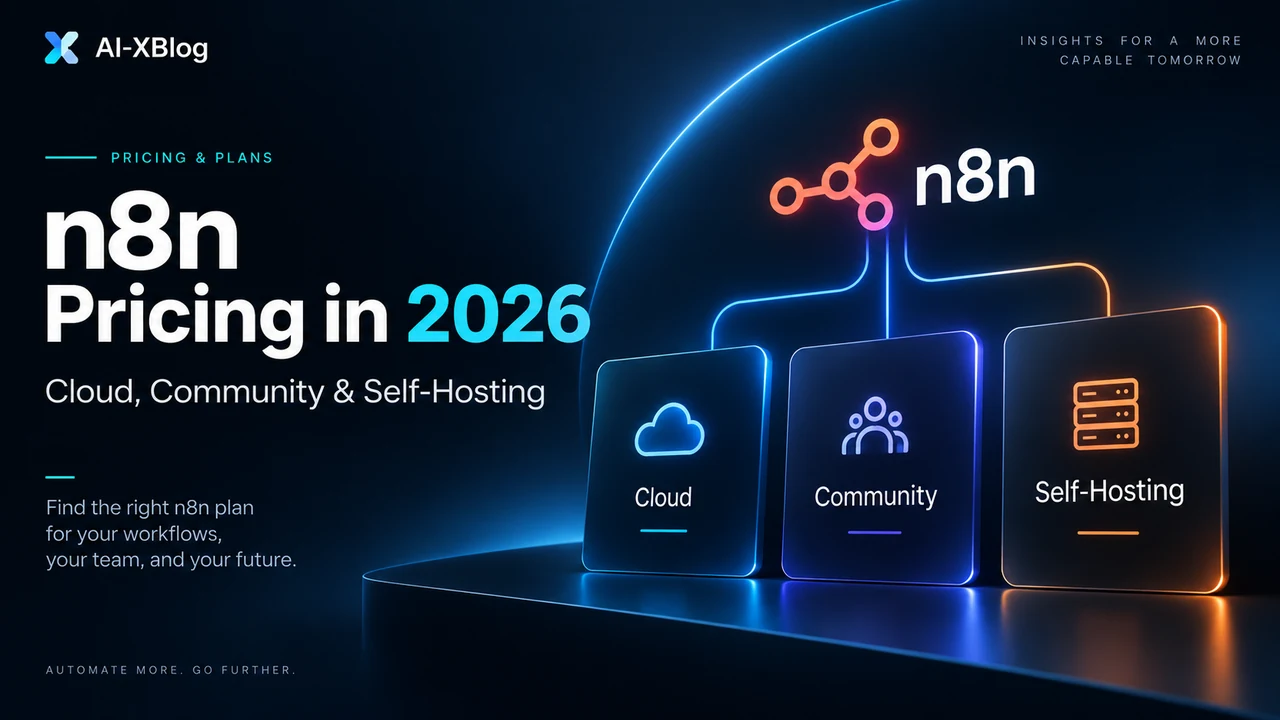
n8n can cost anywhere from no n8n software fee for the self-hosted Community Edition to a custom Enterprise contract. For most people choosing a managed plan in 2026, the practical starting points are Starter at €20/month billed annually for 2,500 workflow executions and Pro at €50/month billed annually for 10,000 executions. If you are learning the product rather than comparing plans, start with our n8n tutorial for beginners.
But the headline price is only half the decision. n8n bills around workflow executions, not every individual step. Self-hosting changes who pays for infrastructure and maintenance. And n8n now has two separate AI-related credit systems: monthly AI Assistant credits for building inside n8n, and Gateway credits that can pay for supported model and tool-service calls on eligible n8n Cloud plans.
AI-XBlog recommendation: start with n8n Cloud if you are still proving your workflows and do not already operate infrastructure. Choose self-hosted Community Edition because you need control or already have the operational capability—not simply because the software license has no fee.
Methodology note: this is a researched pricing guide. AI-XBlog rechecked n8n’s core plan prices, execution allowances, Business deployment/overage terms, AI Assistant credits and Gateway-credit rules against current official sources on September 25, 2026. Licensing and broader self-hosting guidance were last reviewed during the earlier September source pass. It is a living page and will be updated when plans, limits or pricing materially change.
n8n pricing at a glance
| Plan / edition | Price shown by n8n | Executions | Deployment | Best fit |
|---|---|---|---|---|
| Community Edition | No n8n software fee | No n8n Cloud execution quota | Self-hosted | Technical users who can operate their own instance and fit the Sustainable Use License |
| Starter | €20/mo, billed annually | 2,500/mo | Hosted by n8n | Individuals and light production workflows |
| Pro | €50/mo, billed annually | 10,000/mo | Hosted by n8n | Solo builders and small production teams |
| Business | €667/mo, billed annually | 40,000/mo | Self-hosted | Companies needing SSO, environments, Git and scaling controls |
| Enterprise | Contact sales | Custom | Hosted by n8n or self-hosted | Large organizations with compliance, governance and SLA requirements |
Prices above are the annual-billing monthly equivalents displayed by n8n at our September 25, 2026 source check. Taxes, currency conversion and future plan changes are not included.
The most important thing to understand: what counts as an execution?
n8n defines one execution as one complete run of a workflow. The number of steps in that workflow does not multiply the execution count. A five-step workflow that runs once is one execution; a fifty-step workflow that runs once is also one execution.
This makes n8n’s pricing model different from tools that meter each successful action or operation. It is also why execution frequency matters more than visual workflow complexity when estimating an n8n Cloud plan.
Execution math: three simple examples
| Workflow | Frequency | Approx. executions/month | What it means |
|---|---|---|---|
| Daily report | Once per day | 30–31 | Very light usage |
| Hourly sync | 24 times/day | 720–744 | Fits comfortably inside Starter by itself |
| Five-minute poll | 288 times/day | About 8,640–8,928 | One workflow can consume most of a Pro allowance |
The third example is why a cheap-looking automation can become execution-heavy. Polling on a fixed schedule runs even when nothing useful happens. When possible, webhooks and event-driven triggers can reduce unnecessary executions by starting the workflow only when a real event occurs.
Starter: who should choose it?
Starter is n8n’s entry managed-Cloud plan. At the current annual-billing rate it is €20 per month and includes 2,500 monthly workflow executions with unlimited steps.
- Hosted by n8n
- 2,500 workflow executions per month
- 1 shared project
- 5 concurrent executions
- Unlimited users
- 1,600 AI Assistant credits per month
- Forum support
Starter makes sense when the priority is learning n8n or running a modest number of production workflows without managing a server. The main constraint is not how many nodes you put on the canvas; it is how frequently those workflows run and how many can execute concurrently. For a concrete example of a bounded production workflow with AI classification and human approval, see our n8n AI email triage tutorial.
Pro: the practical production tier for many small teams
Pro is €50 per month when billed annually and raises the allowance to 10,000 monthly executions. It also increases concurrency and adds operational features that matter once workflows move beyond experiments.
- 10,000 workflow executions per month
- 3 shared projects
- 20 concurrent executions
- 7 days of Insights
- 4,000 or 9,600 AI Assistant credits per month, depending on plan size
- Admin roles
- Global variables
- Workflow history
- Execution search
Pro is a better fit when workflows are business-critical enough that execution search, administration and concurrency start to matter but the team still prefers n8n to own the infrastructure.
Business is not a more expensive Cloud plan
This is an easy point to miss. n8n currently labels Business as self-hosted. The €667/month annual-billing price is therefore a paid n8n plan for business features and execution allowance; it does not mean n8n is also providing the server that runs the instance.
- 40,000 workflow executions per month
- 6 shared projects
- SSO, SAML and LDAP
- 30 days of Insights
- Different environments
- Scaling options
- Git-based version control
- Forum support
Business is designed for organizations that want to run n8n on their own infrastructure but need collaboration, governance and deployment features beyond Community Edition.
Watch the overage terms: n8n says Business and Enterprise workflows continue running after the quota is exceeded, but overage charges can apply. At our September 25, 2026 source check, the published Business overage price remains €4,000 for an additional 300,000-execution bucket. High-volume buyers should confirm current terms before signing.
Enterprise: when governance becomes the deciding factor
Enterprise uses custom pricing and can be hosted by n8n or self-hosted. Its value is less about simply buying more executions and more about compliance, governance, scale and support.
- Custom execution quota
- Unlimited shared projects
- 200+ concurrent executions
- 365 days of Insights
- External secret store integration
- Log streaming
- Extended data retention
- Dedicated support with SLA
- Invoice billing
Community Edition: free software does not mean zero total cost
n8n makes a standard self-hosted Community Edition available without an n8n subscription fee. For internal automation, this can be an excellent option for people who already know how to operate web applications and databases.
But Community Edition moves costs from the SaaS invoice into your own stack. A useful total-cost model is:
Real monthly self-hosting cost = infrastructure + backups + monitoring + database/storage + model/API charges + maintenance labor + expected incident/recovery cost.
If you already operate Docker workloads, databases, monitoring and backups, the incremental cost can be small. If you are learning all of that only to avoid a €20 or €50 Cloud plan, self-hosting can be a poor economic trade even when the server bill looks cheap.
What you own when you self-host
- Operating-system and container updates
- n8n upgrades and compatibility checks
- TLS, DNS and network exposure
- Database durability and backups
- Credential and secret protection
- Monitoring and alerting
- Capacity and queue/worker sizing as usage grows
- Disaster recovery
- Incident response when workflows stop running
Community Edition is fair-code, not an OSI open-source license
This distinction matters for commercial use. n8n’s source is available under its Sustainable Use License, which it describes as a fair-code license. The license generally permits use for your own internal business purposes and non-commercial or personal use, but it restricts commercial scenarios such as white-labeling n8n and charging customers to access it.
Consulting around n8n can be allowed, but embedding, reselling or operating n8n for external customers can require a separate commercial agreement depending on the exact architecture. If your business model depends on n8n for customers rather than your own internal operations, check the current license and ask n8n directly instead of relying on a blog summary—including this one.
AI Assistant credits and Gateway credits are different balances
Starter and Pro still include monthly AI Assistant credits. Those credits pay for n8n Assistant usage while you build, debug and improve workflows inside n8n; they are not the same balance as Gateway credits.
Gateway credits are different. Starting with n8n v2.36, Starter and Pro Cloud users can choose Gateway credits instead of supplying credentials for supported AI models and tool services. Usage comes from a shared prepaid balance in n8n. Bringing your own API key still works, and BYOK provider charges remain separate from your n8n subscription.
n8n says Gateway pricing aims to follow each provider’s published list price where one exists, with rates published on its service-pricing page. The balance can be topped up manually or automatically, tracked by workflow or service, and disabled instance-wide by an owner. This feature is currently for eligible n8n Cloud Starter and Pro instances; it is not part of the initial self-hosted release.
How many executions do you actually need?
Do this before choosing a plan. Build a simple execution budget for each workflow:
| Workflow | Runs/day | Days/month | Estimated executions |
|---|---|---|---|
| Lead routing | 20 | 30 | 600 |
| Daily reporting | 1 | 30 | 30 |
| Support enrichment | 35 | 30 | 1,050 |
| Hourly inventory sync | 24 | 30 | 720 |
| Total | 2,400/month |
In this illustrative workload, Starter’s 2,500 executions are technically enough—but only by a narrow margin. If the business is growing, Pro would provide more headroom and higher concurrency. The right decision is based on expected peak and growth, not only today’s average.
Cloud vs self-hosted: the decision matrix
| If this describes you | Start here | Why |
|---|---|---|
| You want to learn n8n without server maintenance | Starter Cloud / trial | Fastest setup and managed infrastructure |
| You run light production workflows and want low operational overhead | Starter | 2,500 executions may be sufficient |
| You need more execution headroom, concurrency and operational tooling | Pro | 10,000 executions and stronger team/production features |
| You already operate infrastructure and want maximum deployment control for internal use | Community Edition | No n8n subscription fee, but you own operations and must fit the license |
| You need SSO, environments, Git and paid self-hosted governance | Business | Business is built for governed self-hosted deployments |
| You need SLA support, extensive governance or custom scale | Enterprise | Custom deployment and support model |
When is self-hosting actually cheaper?
Self-hosting is most likely to be economically attractive when your team already has infrastructure skills, the automation workload is meaningful, you need deployment control, and the extra operational work is small relative to the value of the workflows.
It is least attractive when one person is learning server administration from scratch just to avoid a small managed-Cloud subscription. A cheap VPS is not the total cost if a failed upgrade or broken database consumes half a workday.
This is why AI-XBlog does not publish a universal “self-hosting breaks even at X workflows” number. The answer depends on your labor cost, reliability requirement, existing infrastructure and the business impact of downtime. Any precise break-even figure without those assumptions is false precision.
What about the n8n Start-up Plan?
n8n also offers an eligible Start-up Plan that discounts the Business plan. The current page advertises 50% off Business for qualifying early-stage startups and shows €333/month billed annually for 40,000 executions. Eligibility rules apply, so treat it as a special program rather than the default pricing tier.
n8n vs Zapier pricing: do not compare the plan names
The most useful comparison is the billing unit. n8n Cloud counts full workflow executions, while Zapier generally counts successful billable action tasks, with additional 2026 task multipliers for AI by Zapier model tiers and tool calls.
We model the difference with worked examples in our n8n vs Zapier in 2026 comparison. For the broader design question—when you need rules, an AI step or an agent—see the AI Automation in 2026 guide.
Which n8n plan should you choose?
- Choose Starter if you want managed n8n, your execution budget is comfortably below 2,500/month and you do not need Pro’s operational features.
- Choose Pro if workflows are moving into production, 2,500 executions is tight, or you need more concurrency, projects, Insights and administration.
- Choose Community Edition if self-hosting is an intentional architecture choice, you can operate it safely and your use fits the Sustainable Use License.
- Choose Business if you need paid self-hosted governance such as SSO, environments, scaling controls and Git-based version control.
- Talk to Enterprise sales if compliance, SLA support, log streaming, external secrets or custom-scale requirements are part of the purchasing decision.
n8n pricing FAQ
How much does n8n cost?
For n8n Cloud, the current annual-billing reference prices are €20/month for Starter with 2,500 executions and €50/month for Pro with 10,000 executions. Business is a paid self-hosted plan at €667/month billed annually for 40,000 executions, while Enterprise uses custom pricing.
Is n8n free?
Yes, n8n offers a self-hosted Community Edition with no n8n software subscription fee. You still pay for your own infrastructure, backups, database, monitoring, maintenance and any external AI/API usage. The Community Edition is source-available under n8n’s Sustainable Use License rather than an OSI open-source license.
Is n8n Business available on n8n Cloud?
No. At the September 25, 2026 source check, Business is self-hosted only. Starter and Pro are the main self-service n8n Cloud tiers, while Enterprise can be hosted by n8n or self-hosted.
Does n8n AI cost extra?
It depends on which AI feature you use. Starter and Pro include monthly AI Assistant credits, which reset monthly and currently cannot be manually topped up or carried over. Separately, eligible n8n Cloud Starter and Pro instances can use optional Gateway credits for supported AI models and services; Gateway balances can be topped up. You can also bring your own provider API key on every plan or edition, in which case the AI provider bills that model usage separately.
Bottom line
For most new users, the decision is not “free self-hosted vs paid Cloud.” It is managed operations vs owned operations. n8n Cloud turns infrastructure into a predictable subscription and execution quota. Community Edition removes the n8n subscription fee but gives the operational responsibility to you.
Estimate executions first, then decide how much infrastructure responsibility your team actually wants. That will usually lead to a better plan choice than optimizing for the lowest sticker price.
Primary sources
Source check: core plan prices, execution allowances, Business overage terms and AI-credit rules rechecked September 25, 2026; licensing and broader self-hosting guidance retain their earlier September review scope. This page is maintained as living content because n8n pricing, limits and plan features can change.
- n8n official plans and pricing
- n8n Start-up Plan
- n8n Docs: choose Cloud or self-hosted
- n8n Sustainable Use License documentation
- n8n Help Center: Community Edition registration
- n8n: Gateway credits launch and supported services
- n8n Credit Terms
AI-XBlog Weekly Brief
Keep up with AI that actually works
Join the AI-XBlog Weekly Brief for major AI updates, practical workflows, useful tools, and editor’s picks. No daily noise.
Reader discussion
Join the discussion
Have you tried this tool or workflow? Share your experience, corrections, or questions. Useful reader feedback may help us improve this article.
All comments are reviewed before publication. Your email address will not be published. Promotional links and low-value spam are removed.