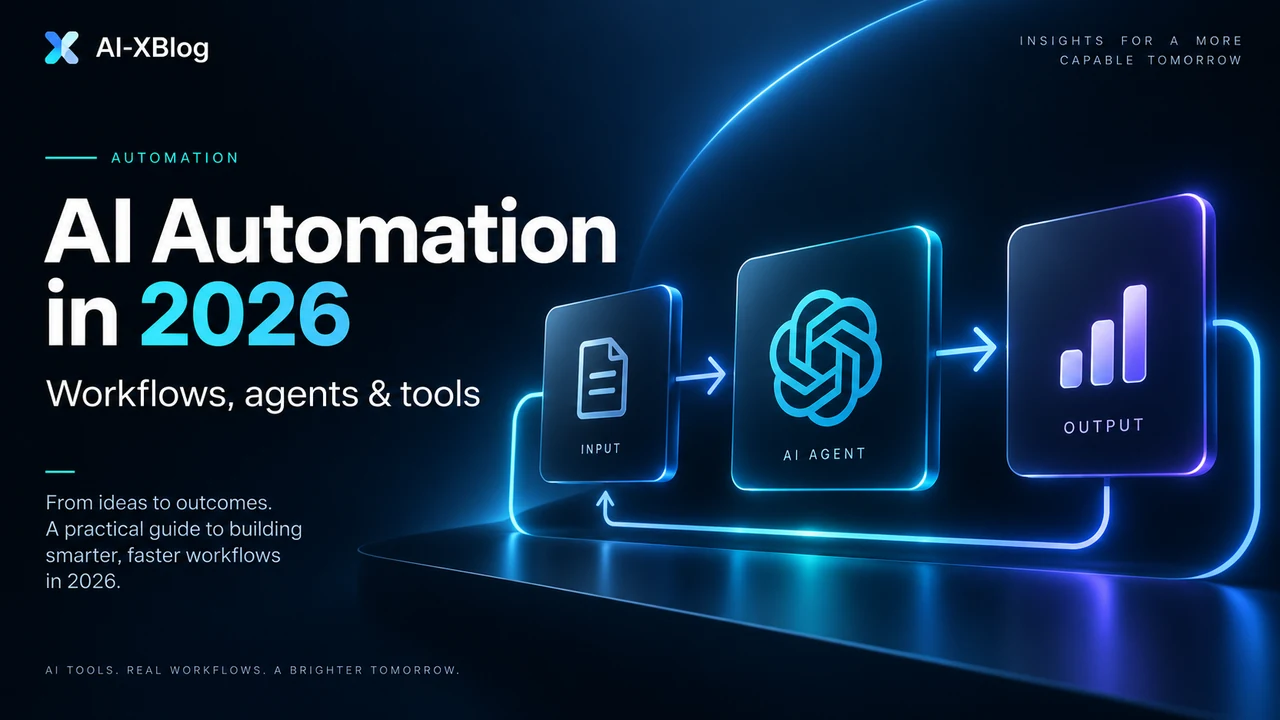
AI automation is the use of software workflows plus artificial intelligence to complete work that previously needed a person to interpret information, make a limited decision, or move data between systems. The important part is not the AI model by itself. The value comes from connecting AI to triggers, business rules, apps, APIs, data and human review so the output can actually move a process forward.
In 2026, the market is moving beyond simple “send this data from App A to App B” automation. n8n, Zapier and Make all now combine traditional workflow logic with AI capabilities, and each has added agent or MCP-related features in different ways. The result is useful, but it also creates a new problem: teams can easily add AI where a fixed rule would be cheaper, safer and easier to maintain.
The practical rule: if a task only needs rules, use rules. Add AI when the workflow has to interpret messy information. Add an agent only when the system genuinely needs to choose among tools or actions at runtime.
Methodology note: this is a researched guide based on current official product documentation and primary sources. It is not presented as a hands-on benchmark of every platform.
What is AI automation?
Traditional automation follows a path you define in advance: when a trigger happens, perform a set of actions. AI automation adds model-based capabilities inside that path, such as classifying text, extracting information from a document, summarizing a meeting, generating a draft, matching a request to a category, or deciding which branch should run next.
Make describes AI automation as combining artificial intelligence with software automation so workflows can handle tasks that fixed rules struggle with, while its newer agentic approach allows an agent to choose actions dynamically. n8n makes a similar distinction in its documentation: a predefined chain follows a known sequence, while an agent uses a language model to decide which available tools to use. Zapier is also moving its agentic capabilities into its core workflow editor through AI by Zapier rather than keeping agents isolated from deterministic Zap logic.
That gives us a more useful definition than “automation with ChatGPT”:
- Automation executes known rules.
- AI-assisted automation uses a model for one or more uncertain steps inside a controlled workflow.
- Agentic automation gives a model bounded freedom to choose tools or actions based on the goal and context.
The AI-XBlog Automation Control Ladder
A useful way to design an automation is to use the least autonomous level that can solve the problem. Moving up the ladder increases flexibility, but it also increases testing, observability and governance requirements.
| Level | How it works | Best for | Main risk |
|---|---|---|---|
| 1. Deterministic workflow | Triggers, filters, conditions and fixed actions | Data sync, notifications, routing, scheduled jobs | Brittle rules when inputs are messy |
| 2. AI-assisted workflow | AI handles a bounded step inside a fixed process | Classification, extraction, summarization, drafting | Model output can be wrong or inconsistent |
| 3. Agentic workflow | An agent chooses from approved tools/actions at runtime | Research, support triage, multi-step knowledge work | More variable behavior and higher governance needs |
The mistake is assuming Level 3 is automatically better. If a refund request can be routed using three explicit conditions, an agent adds cost and uncertainty without adding meaningful value. If a support request arrives as unstructured text, attachments and prior conversation history, an AI-assisted or agentic layer may make sense.
When should you use AI instead of normal automation?
Use AI when the difficult part of the workflow is understanding or transforming information rather than simply moving it. Good candidates usually involve unstructured input or decisions that are hard to express as a small set of rules.
Good AI automation candidates
- Classify inbound emails by intent
- Extract structured fields from documents
- Summarize calls or long threads
- Draft a response using approved context
- Enrich research with multiple sources
- Choose from a small set of approved tools
Keep these deterministic when possible
- Copy a CRM field to another system
- Send a fixed notification
- Run a scheduled database export
- Apply a rule with clear thresholds
- Perform exact calculations
- Execute compliance-critical actions without review
How an AI automation system is actually structured
Most production AI automations can be broken into six layers. You do not need a separate product for every layer, but thinking this way makes failures easier to diagnose.
- Trigger: an email arrives, a form is submitted, a CRM record changes, a schedule runs, or a webhook is called.
- Context: the workflow retrieves the relevant records, documents, prior messages or business rules.
- Reasoning or transformation: a model classifies, extracts, summarizes, generates or selects an action.
- Guardrails: validation, confidence thresholds, allowlists, structured output checks and policy rules constrain what can happen next.
- Action: the workflow writes to a CRM, sends a message, updates a ticket, calls an API or invokes another workflow.
- Observation and recovery: logs, retries, alerts and human review make the system operable when something fails.
The sixth layer is the one most demos skip. A workflow that works once is a prototype. A workflow that can be inspected, retried and corrected is an operational system.
AI workflow or AI agent: which one do you need?
Use a normal workflow when the sequence of steps is known. Use an agent when the system needs to decide which tool to use or what sequence of actions to take based on changing context. For the deeper decision framework—including autonomy levels, MCP vs A2A, computer use, blast radius and agent security—see our AI Agents in 2026 guide. For concrete 2026 implementations, our Notion Custom Agents guide shows a workspace-native agent stack, while our OpenAI Agents API explainer covers a managed cloud-agent runtime.
| Question | If the answer is yes |
|---|---|
| Can you define the steps before the workflow starts? | Prefer a normal workflow. |
| Does one AI step solve the uncertain part? | Use AI inside a deterministic workflow. |
| Must the system choose among several tools at runtime? | An agent may be appropriate. |
| Can a wrong action create financial, legal or customer harm? | Add approval or keep the final action deterministic. |
| Do you need to explain why the system acted? | Prioritize platforms and designs with visible execution logs. |
Make’s own guidance makes a similar point: use agents when a process needs judgment or reasoning, especially with unstructured inputs; use normal automation when the task simply needs to execute. That is a better design rule than asking whether an agent is technically possible.
The major AI automation platforms in 2026
There is no universal winner. The right platform depends on who will own the workflows, how much infrastructure you want to manage, how complex the logic becomes, and whether self-hosting or deep AI orchestration matters.
| Platform | Strongest fit | Why teams choose it | Watch for |
|---|---|---|---|
| n8n | Technical teams, AI agents, API-heavy workflows, self-hosting | Visual workflows plus code, HTTP/API flexibility, self-hosted Community edition, native AI/agent tooling | Self-hosting means you own security, upgrades and reliability |
| Zapier | Business teams that want fast SaaS automation | Very broad app ecosystem, low setup friction, AI and MCP capabilities integrated with the automation platform | Task-based economics can matter as workflows grow |
| Make | Visual builders, branching workflows, operations teams | Strong visual orchestration, large integration catalog, reusable AI Agents and transparent execution | Credit-based usage requires careful cost modeling, especially when AI features add token- or model-dependent consumption |
| Microsoft Power Automate | Microsoft 365 and Power Platform organizations | Deep Microsoft ecosystem integration, cloud flows and desktop automation | Licensing and platform complexity can be harder to compare with simpler automation tools |
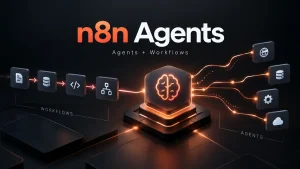
For the technical end of the market, n8n is particularly important because it supports self-hosting and explicitly positions agents as decision-makers that can call tools. n8n’s official self-hosting documentation now centers on Docker-based deployment methods, while its Cloud option removes the infrastructure burden. Make has moved its AI Agents directly into the same visual canvas as normal scenarios. Zapier is similarly bringing agentic behavior into the core workflow experience through AI by Zapier and offers MCP connectivity across its app ecosystem.
We will cover these products individually in deeper comparisons and tutorials. For a concrete implementation, see our n8n AI email triage workflow tutorial, or start with our n8n tutorial for beginners if you want to learn triggers, expressions, branching and production workflow basics first, which shows how to combine structured classification, deterministic routing and human approval without turning the workflow into an autonomous agent. Start with our n8n vs Zapier in 2026 comparison, which includes current task-vs-execution cost math and Zapier’s 2026 AI task multipliers. The important point for now is that platform choice should follow workflow ownership and operating requirements, not whichever vendor currently has the loudest AI branding.
Five practical AI automation examples
1. Support triage with human escalation
A new ticket triggers a workflow. AI classifies the request, extracts the customer issue and checks approved knowledge. Straightforward requests receive a drafted response; billing, security or low-confidence cases are routed to a person. The risky step—sending a consequential answer—can remain human-approved.
2. Meeting-to-CRM workflow
A transcript arrives after a sales call. AI extracts the prospect’s goals, objections, next steps and decision timeline into a structured format. The workflow updates CRM fields, creates tasks and drafts a follow-up email. No agent is required because the sequence is predictable.
3. Research assistant with bounded tools
An agent receives a research question and can choose from a search tool, an internal knowledge source and a company database. It gathers evidence, produces a structured summary and sends the result to a reviewer. This is a good agent use case because the required path changes with the question.
4. Marketing content operations
A published article triggers a workflow that extracts the core argument, produces channel-specific draft copy and packages assets for review. Distribution remains approval-gated. The purpose is not to generate more content; it is to reduce repetitive repackaging work while preserving editorial control.
5. Invoice or document intake
Documents arrive by email or upload. AI extracts fields into a schema, deterministic checks validate totals and required information, and exceptions are sent to a person. This hybrid pattern is usually safer than allowing a model to both interpret the document and approve the transaction.
What AI automation really costs
Comparing subscription prices alone is misleading because the major platforms meter work differently. n8n Cloud prices around workflow executions, Zapier uses task-based usage, and Make now bills in credits, with many standard modules consuming credits per operation while some AI features also vary with model or token usage. Self-hosted n8n shifts part of the cost from SaaS usage to infrastructure and maintenance.
A useful cost model includes five buckets:
- Automation platform usage: executions, tasks, operations or plan limits.
- Model usage: tokens, model calls, embeddings, image/audio processing or vendor AI credits.
- Infrastructure: hosting, database, storage, queues and observability when self-hosting.
- Maintenance: upgrades, broken integrations, credential rotation and workflow debugging.
- Human review: the time required for approvals, exceptions and quality control.
The cheapest tool on a pricing page can become the most expensive system if your team cannot maintain it. The inverse is also true: a higher monthly platform fee can be economical if it removes infrastructure and operational work your team would otherwise have to own.
Reliability and governance matter more as AI gains autonomy
AI systems fail differently from normal automations. A deterministic workflow usually fails because a credential expires, an API changes, a rate limit is hit or the data shape is wrong. AI adds another failure class: the workflow can run successfully while producing a bad interpretation or decision.
Production systems therefore need controls that many demos omit:
- Structured outputs instead of free-form text when data will feed another system
- Validation before writes or external actions
- Tool allowlists and narrowly scoped credentials
- Human approval for high-impact actions
- Execution logs and traceable inputs/outputs
- Retry and fallback behavior
- Cost limits and rate controls
- A clear owner for failures and maintenance
MCP expands what AI systems can connect to, but it does not remove the need for these controls. Our Model Context Protocol (MCP) guide explains the current stateless 2026 architecture, authorization model and adoption checklist in detail. Zapier’s MCP documentation, for example, emphasizes that MCP clients gain access to external tools and actions; n8n and Make similarly use tool access as part of their agent architecture. More connectivity is useful only when permissions and observability remain understandable.
How to start: a seven-step implementation process
- Choose one repetitive process. Start with a workflow that has clear inputs, outputs and an owner.
- Map the current process before choosing a tool. Identify triggers, decisions, systems and exception paths.
- Separate rules from judgment. Keep deterministic logic deterministic; mark only the steps that genuinely need interpretation.
- Add AI to one bounded step first. Classification or extraction is easier to test than a fully autonomous agent.
- Define failure behavior. Decide what happens when confidence is low, a tool is unavailable or the output is invalid.
- Measure the right outcome. Track time saved, error rate, throughput, cost per successful run and human-review rate—not just the number of automations created.
- Increase autonomy only after the workflow is observable. Agents should be an upgrade to a working system, not a substitute for understanding the process.
AI-XBlog automation design canvas
Before opening an automation builder, write down the answers below. If you cannot define the failure path, owner and success metric, the workflow is not ready for more autonomy.
| Design question | What to record |
|---|---|
| Process | The repetitive business process and the person who owns the outcome |
| Trigger | The event, schedule or request that starts the workflow |
| Deterministic steps | Actions that can be expressed as fixed rules and should stay rule-based |
| AI step | The specific interpretation, extraction, classification or generation task that needs a model |
| Agent decision | Whether the system truly needs to choose among tools at runtime; if not, do not add an agent |
| Allowed tools and data | The minimum systems, actions and information the AI needs access to |
| Approval gate | Which actions require human confirmation before they affect customers, money, permissions or records |
| Fallback | What happens when the model is uncertain, an API fails or the output does not validate |
| Success metric | Time saved, successful-run rate, error rate, cost per outcome or review rate |
| Owner | The person responsible for monitoring, fixing and updating the workflow |
Which AI automation platform should you start with?
If you are a non-technical team connecting mainstream SaaS tools and want the fastest path to a working automation, start by evaluating Zapier. If you prefer a visual canvas with strong branching and operations-friendly workflow design, evaluate Make. If you need self-hosting, custom code, API-heavy workflows or deeper control over AI agent orchestration, put n8n near the top of the list. If your organization already lives inside Microsoft 365 and Power Platform, Power Automate deserves separate consideration because ecosystem fit can matter more than standalone feature comparisons.
The best platform is the one your team can operate reliably after the demo is over.
What AI-XBlog will test next
This pillar is the starting point for our AI Automation coverage. Continue with the n8n beginner tutorial for a build-first introduction, n8n vs Zapier for platform selection, n8n Pricing and Zapier Pricing for cost models, and our small-business automation scorecard for deciding what to automate first. For a controlled AI workflow example, see the n8n AI email triage tutorial.
Where a future article includes hands-on testing, we will label it clearly and document the environment, plan or workflow used. See our Review Methodology and Editorial Policy for how we separate research from first-hand testing.
Primary sources
Source check: September 15, 2026. Product capabilities, pricing models and availability can change; important living pages will be rechecked when material updates occur.
- n8n documentation: What agents do
- n8n documentation: Self-hosting n8n
- n8n official pricing
- Make: AI automation
- Make: AI Agents
- Zapier: What is Zapier MCP?
- Zapier: AI by Zapier and Agents migration
- Microsoft Learn: Power Automate documentation
- Zapier official pricing and task usage
- Make Help Center: Credits
AI-XBlog Weekly Brief
Keep up with AI that actually works
Join the AI-XBlog Weekly Brief for major AI updates, practical workflows, useful tools, and editor’s picks. No daily noise.
Reader discussion
Join the discussion
Have you tried this tool or workflow? Share your experience, corrections, or questions. Useful reader feedback may help us improve this article.
All comments are reviewed before publication. Your email address will not be published. Promotional links and low-value spam are removed.