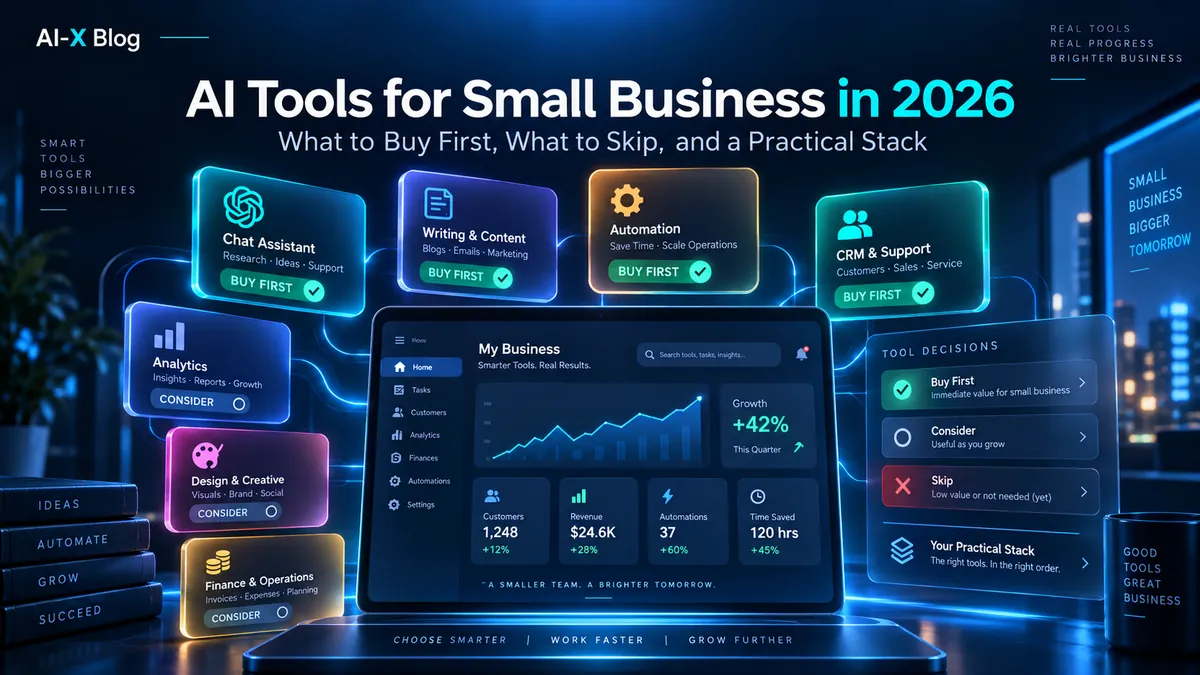
Small businesses do not need the largest AI stack. They need the smallest stack that removes real work without creating duplicate subscriptions, new security problems, or another system nobody maintains.
The biggest buying mistake in 2026 is treating every AI feature as a separate product category. Google Workspace now includes Gemini across key productivity apps on paid business tiers. Notion Business includes Notion Agent, AI Meeting Notes and Enterprise Search. Canva Business includes a large AI allowance. ChatGPT and Claude both bundle research, coding and agentic work into broader subscriptions. Automation platforms increasingly include their own AI layers.
So this guide does not give you a 30-tool shopping list. It gives you a buying order, a job-by-job decision framework, current price anchors, example stacks for 1-, 5- and 20-person businesses, and a list of tools you may not need to buy at all.
Methodology: AI-XBlog verified the product and pricing details in this guide against current official vendor pages on September 20, 2026. This is a documentation-based buying framework, not a claim that we hands-on benchmarked every product listed. Prices can vary by region, tax, billing cadence and promotions; use the vendor page before purchasing.
The small-business AI stack in one table
| Job | Start with | When to add something else |
|---|---|---|
| Email, docs, spreadsheets, meetings | Your existing Google Workspace or Microsoft 365 AI | Add a separate assistant only if cross-app research, coding or agentic work justifies it |
| General research, writing, analysis | One of ChatGPT or Claude | Pay for both only when they have clearly different jobs in your workflow |
| Internal knowledge + projects | Your existing workspace first; Notion Business if Notion is the system of record | Add another search tool only if your current knowledge layer cannot reach the sources you need |
| Design + marketing assets | Canva if visual production is recurring | Skip the paid tier if design is occasional and your existing tools are enough |
| Recurring cross-app work | n8n or Zapier | Add AI steps only when classification/reasoning is actually needed |
| Coding | Claude Code, Codex, Cursor or your existing developer environment | License technical roles, not the whole company |
| Custom autonomous agents | Last, not first | Only after the underlying process, permissions, cost ceiling and review path are clear |
The pattern is deliberate: use embedded AI before buying overlapping AI, then add one general assistant, then specialist software, then automation, and only then consider autonomous agents.
Buy in this order
1. Use the AI already inside your work suite
If your company already lives in Google Workspace or Microsoft 365, that is the first place to look for AI savings.
Google Workspace’s current annual US pricing lists Business Starter at $7/user/month, Business Standard at $14/user/month, and Business Plus at $22/user/month before temporary promotional discounts. Starter includes Gemini in Gmail and the Gemini app; Standard expands Gemini into Gmail, Docs, Meet and other Workspace surfaces, plus larger Gemini/Notebook access.
That means a five-person company already paying for Workspace Standard may not need a separate AI writing assistant, meeting transcription service and basic document summarizer for every employee. Test the included Gemini functions first.
Microsoft takes the same integrated approach. Since September 25, 2026, Microsoft has made the cost model more explicit: everyday Copilot use in Chat and Microsoft 365 apps sits under a fixed user subscription license (USL), while long-running agentic work such as Cowork, Code, Autopilot and frontier-model usage runs on usage-based billing (UBB) through Copilot Credits. That means a small business should not treat every new Copilot capability as included in one flat seat price. See our Microsoft Copilot 2026 guide for the Home, Code, Autopilot and UBB breakdown. Microsoft 365 Copilot Business works inside Word, Excel, PowerPoint, Outlook and Teams, connects to work data through Work IQ, and includes research/data-analysis agents. On Microsoft’s current US business pricing page, the Copilot Business add-on is promoted at $18/user/month paid yearly for eligible existing Microsoft 365 business customers (regular starting price $21), with the offer stated to run through December 31, 2026; the monthly-billed option is currently $25.20/user/month. Bundled Microsoft 365 + Copilot plans are priced separately.
Rule: before adding another per-seat AI product, list the AI features already included in the suite you pay for.
2. Give the right people one general-purpose AI assistant
A general AI subscription becomes valuable when work crosses apps: competitive research, document synthesis, planning, analysis, coding, long-form drafting, web research or agentic execution.
The two obvious starting points are ChatGPT and Claude. Their individual paid entry tiers are both around the same $20/month level: ChatGPT Plus is $20/month; Claude Pro is $20/month or $200/year. Their business/team standard seats are also currently aligned around $20/user/month with annual billing or $25 monthly.
Do not automatically buy a seat for every employee. Start with the roles that produce or analyze the most information: owner, operations, marketing, sales enablement, research, support lead, developer, or executive assistant. Expand only when usage justifies it.
If you are choosing between the two ecosystems, our ChatGPT vs Claude in 2026 comparison focuses on workflow fit rather than a fake one-number intelligence ranking.
3. Add a specialist only when the specialist replaces real work
Specialist AI earns its place when the surrounding product is already part of the job.
- Notion Business makes sense when Notion is already your project/wiki/knowledge system and you can use Notion Agent, AI Meeting Notes and Enterprise Search in that context.
- Canva Business makes sense when visual production, brand control, marketing assets and social creative are recurring work.
- Developer tools make sense for people who actually work in repositories or terminals, not as a company-wide AI perk.
A specialist should replace steps, not merely add another chat box.
4. Automate stable processes
Once a process is repeatable, automation can remove more work than another chatbot seat. n8n and Zapier are especially relevant to small businesses because they connect the systems you already use.
Current n8n Cloud pricing starts at €20/month billed annually for Starter with 2,500 workflow executions, then €50/month for Pro with 10,000 executions. n8n prices around complete workflow executions rather than charging each step as a separate workflow task.
Zapier’s current Professional plan starts at $19.99/month and Team at $69/month. Zapier now uses a shared task pool across workflows, AI steps, code, MCP and SDK activity, and AI-by-Zapier model tiers can multiply task use: Standard 1x, Advanced 3x and Premium 5x, with tool calls also affecting consumption.
This is why “which automation tool is cheaper?” cannot be answered by comparing monthly subscription prices alone. Our n8n vs Zapier comparison explains the execution-vs-task economics. For current plan details, compare n8n Pricing with Zapier Pricing. Our n8n beginner tutorial shows the production basics.
5. Add autonomous agents only after the cost and authority are bounded
Agent products can be useful, but they create a new cost and permission layer. Notion is a good example of the 2026 pricing pattern: core AI features are included in Business and Enterprise, but Custom Agents use Notion credits starting at $10 per 1,000 credits. The more work an agent performs, the more credits it consumes.
That is not inherently bad. It is simply a reason to define:
- what event starts the agent;
- what systems it can read;
- what systems it can change;
- what requires human approval;
- what one run can cost;
- what happens when it loops or retries;
- how you stop it.
If you cannot answer those questions, the process is not ready for autonomous execution yet. Our AI Agent Security guide covers the permission and blast-radius side in more detail.
The six tool categories that matter most
General assistant: ChatGPT or Claude
Use for: research, analysis, drafting, document synthesis, planning, coding support and multi-step knowledge work.
Do not buy both by default. Their feature sets overlap heavily at the general-assistant layer. Paying for both can make sense when the roles are distinct—for example, ChatGPT for broad multimodal and Work/plugin workflows while Claude Code handles terminal-heavy engineering—but “ask both every question” is usually not a business process.
For company-sensitive work, consider managed Business/Team plans rather than treating personal accounts as your permanent deployment model. OpenAI says ChatGPT Business data is not used to train its models by default; Anthropic says Team content is not used for model training by default.
Workspace-native AI: Google Gemini or Microsoft 365 Copilot
Use for: email, documents, spreadsheets, meetings and work data that already lives inside one productivity suite.
The advantage is context and distribution. Employees do not have to copy company data into another tool for every small task, and admins manage the AI inside the same environment as the underlying documents and identity.
If your business is Google-first, read our Gemini in Google Workspace guide before buying a separate AI product for every office task.
Knowledge + meetings: Notion Business when Notion is already central
Notion Business is currently $20/member/month on the published USD pricing page. Core AI includes Notion Agent, AI Meeting Notes and Enterprise Search; Notion says Custom Agents are separately metered through credits.
This can consolidate categories that small companies often buy separately: wiki, project management, meeting transcription, internal search and general AI inside the workspace.
But do not move the company into Notion just to get AI. The value is highest when your documents, projects and knowledge already live there. If they live in Google Drive or Microsoft 365, test those ecosystems’ native search/AI first.
Visual marketing: Canva
September 2026 update: Canva has launched Canva ProSuite, connecting Affinity, Cavalry, Flourish and Leonardo.Ai across its professional creative stack. The core Affinity and Cavalry apps remain free, while Canva AI Studio inside Affinity requires a Canva premium plan. For Canva Business and Enterprise, Affinity and Cavalry are included and Flourish is included at the Presenter level; Leonardo.Ai is now a paid add-on rather than a bundled Essential benefit. Canva says Business users still retain Leonardo.Ai premium features with a daily token allowance and can buy extra tokens or subscribe directly for more.
Canva Business is currently listed at $250/year per person and includes collaboration/admin tools, brand controls, ad insights, AI ad creation, Canva AI 2.0 and AI connectors. Under Canva’s current AI-usage examples, Business includes up to 400 Premium AI uses or 40 Ultra AI uses per month for simple tasks; actual consumption varies with the feature, model tier and prompt complexity. If a heavy creator needs substantially more, Canva’s optional AI Pass costs $100 per person per month and gives Business users up to 20x their standard AI allowance. Standard AI tools on paid plans generally sit outside the shared Premium/Ultra allowance, subject to Canva’s fair-use rules.
Use it when: your business repeatedly produces social posts, ads, presentations, sales collateral, video or branded creative.
Skip or stay Free/Pro when: visual work is occasional, outsourced, or already covered by another design workflow. AI image generation alone is not a reason to add a full creative suite.
Automation: n8n or Zapier
Use for: moving data, routing leads, syncing systems, follow-up, notifications, intake, reporting, scheduled processes and human-review workflows.
Automation is where small businesses can get disproportionate leverage because one workflow can save time every day without requiring another employee to remember a prompt.
However, automate only a process you can describe. If three employees perform the “same” process three different ways and nobody agrees which is correct, an AI agent will not fix the operating model.
Coding: license the technical roles
Claude Code, Codex, Cursor and related coding agents can be high-value tools for developers, technical founders and automation builders. They do not belong in a default “every employee gets all AI” bundle.
If your small business builds internal software or automations, coding tools can increase the speed at which you create integrations, scripts and workflows. If you only use SaaS products, that budget may produce more value in automation or workspace-native AI instead.
For current Claude Code costs, see Claude Code Pricing in 2026.
What not to buy first
A separate AI meeting app before testing what you already own
Google Workspace has Gemini in Meet on relevant tiers. Microsoft 365 Copilot works with Teams. Notion Business includes AI Meeting Notes. If one of those is already your work system, test it before adding another recorder, transcription service and summary database.
Two general assistants for every employee
ChatGPT and Claude can both be worth paying for. That does not mean every employee needs both. Start with one company-approved default and allow specialist exceptions where a second product has a concrete workflow.
An AI search product on top of an unused knowledge base
AI search cannot fix disorganized access controls, stale documents and missing source material. Clean the knowledge layer first. Then evaluate whether Workspace, Microsoft 365, Notion, ChatGPT connected apps or Claude connectors already search the relevant sources.
Autonomous agents before deterministic automation
If the job is “when a form arrives, validate three fields, create a CRM record and notify Slack,” a deterministic workflow is usually easier to test and cheaper to govern than an agent that decides what to do.
Use agents when the process genuinely requires interpretation, planning or dynamic tool selection. Use workflows when the rules are known.
Three practical small-business stacks
Stack A: solo consultant or creator
- Workspace: Google Workspace Standard if you need business email, Drive, Docs, Meet and built-in Gemini; or your equivalent Microsoft setup.
- General AI: one ChatGPT Plus or Claude Pro seat only if native workspace AI does not cover your cross-app research/writing needs.
- Design: Canva only if content production is a recurring part of the business.
- Automation: wait until one recurring process is costing real time, then add n8n Starter, Zapier Professional or a free/self-hosted path that fits your skills.
The goal is not to buy four products on day one. Start with the workspace, add one general assistant, then add design or automation only when the workflow proves the need.
Stack B: five-person service business
- Workspace AI for all five if your existing plan already includes it.
- Managed general AI for 2–3 high-use roles rather than immediately licensing all five. ChatGPT Business and Claude Team both have managed workspace options; verify seat minimums and current billing before purchase.
- One automation platform for lead intake, follow-up, handoffs, reminders and reporting.
- One shared knowledge layer—Drive/SharePoint/Notion—rather than duplicating the company wiki across tools.
- Canva for the people who actually create assets, not as a universal AI seat.
This model concentrates higher-cost AI on employees who can turn it into output while keeping the rest of the team inside tools they already use.
Stack C: 20-person operations-heavy company
- Company-wide native workspace AI where it is already bundled or economically justified.
- Role-based ChatGPT Business / Claude Team seats for research, coding, operations and high-volume knowledge work.
- n8n or Zapier with an owner responsible for production workflows, failures and change control.
- Notion Business only if it is actually the knowledge/project system; otherwise use your existing Drive/SharePoint search layer.
- Specialist creative and developer seats only for the people who need them.
- Agent budgets and approvals for any metered autonomous work.
At this size, governance starts to matter as much as features. The cheapest $20 seat is expensive if nobody controls offboarding, connected data, usage credits or who can authorize write-capable agents.
The hidden cost is overlap
| Overlap | Why it wastes budget | Better question |
|---|---|---|
| ChatGPT + Claude + Gemini for everyone | Most employees use only basic writing/search functions | Which roles need a capability the default assistant lacks? |
| Separate meeting bot + Notion Business + Workspace AI | You may pay three times for notes/summaries | Which system should own the meeting record? |
| Standalone internal search + Notion/Drive/SharePoint AI | Search layers duplicate indexing and permissions | Can the existing system search all required sources? |
| Zapier + n8n for the same team | Two automation estates mean two billing models and two operations surfaces | Is there a real integration each platform uniquely needs? |
| Multiple agent products | Usage credits can be difficult to forecast across systems | Which agents have measurable recurring value? |
Budget for usage, not only seats
2026 AI pricing increasingly has two layers:
- a base subscription or seat;
- a metered layer for heavy models, agents, automation tasks or credits.
Examples include Notion Custom Agent credits, Zapier’s AI model-tier task multipliers, ChatGPT/Claude usage credits or higher-usage seats, and automation execution/task pools.
For every metered tool, decide three numbers before deployment:
- normal monthly usage;
- maximum acceptable monthly usage;
- the action the system should take at that maximum—pause, request approval or continue with overage.
“We’ll monitor it later” is not a cost control.
Security: company AI should be deployed like company software
A small company does not need enterprise bureaucracy, but it still needs basic controls.
- Use company-managed accounts for company data.
- Know whether the vendor trains on business content by default.
- Remove access when an employee leaves.
- Keep connected-app permissions narrower than “everything.”
- Separate read-only automation from write/destructive automation where practical.
- Do not paste production secrets into prompts or ordinary workflow fields.
- Keep a human approval step for payments, legal commitments, deletions and other consequential actions.
- Document which AI products are approved for customer or confidential data.
If an AI product can act in your CRM, inbox, repository or accounting system, treat its permissions as real software permissions—not as a harmless chat feature.
A 10-question buying checklist
- What exact task are we paying to remove or improve?
- Do we already have this feature inside Workspace, Microsoft 365, Notion, Canva or another paid tool?
- Who will use it at least weekly?
- Does everyone need a seat, or only specific roles?
- Does the tool touch company-sensitive data?
- What admin/offboarding controls exist?
- Is pricing seat-based, task-based, execution-based or credit-based?
- What can create overage?
- Can we measure time saved, revenue improved or errors reduced?
- What existing tool can we cancel if this one succeeds?
The last question is especially important. A new tool that never replaces an old tool may improve work, but it is not consolidation.
Frequently asked questions
What is the best AI tool for a small business?
There is no single best tool for every small business. Start with the AI already included in your work suite, then add one general assistant such as ChatGPT or Claude if you have cross-app research, analysis, coding or agentic work. Add specialist tools only for recurring specialist jobs.
Should every employee get ChatGPT or Claude?
Not automatically. Start with the roles that have the most high-value knowledge work. Measure use, then expand. Many employees may already have enough AI for routine email/docs work inside Google Workspace or Microsoft 365.
Is Google Workspace AI enough by itself?
For Gmail, Docs, Meet and basic Gemini work, it may cover a large portion of everyday tasks—especially on Standard and higher tiers. A separate general assistant becomes more compelling for cross-app research, agentic execution, coding or workflows outside the Google environment.
Is Notion AI still a separate add-on?
Core Notion AI features are included with current Business and Enterprise plans. Custom Agents are different: they use separately purchased Notion credits, currently $10 per 1,000 credits.
Should I choose n8n or Zapier for a small business?
Zapier is often easier to adopt for mainstream SaaS automation; n8n gives builders more deployment/control options and prices Cloud primarily by workflow executions rather than charging each workflow step. Compare your actual workflow volume and complexity rather than plan price alone.
When should a small business use AI agents?
Use an agent when the task genuinely needs interpretation, planning or dynamic tool choice. If the rules are known, start with deterministic automation. Before giving an agent write access, define permissions, approval, cost limits and rollback.
Bottom line
The best small-business AI stack is usually smaller than the one vendors want you to buy.
Start with the AI built into the work suite you already pay for. Give one general-purpose AI assistant to the roles that can use it heavily. Add Notion, Canva or coding tools only when their surrounding workflow is real. Automate stable processes. Add agents last, with explicit permissions and cost ceilings.
If a new AI product cannot answer “what work does this replace, who owns it, and what do we stop paying for if it succeeds?”, it is probably not the next tool your business needs.
For deciding what to automate before you buy automation software, use our AI Automation for Small Business 7-factor scorecard.
Primary sources
- Google Workspace: Plans & Pricing
- Google Workspace: AI tools for business
- Microsoft 365 Copilot: Business pricing
- Microsoft: New Copilot with Home, Code, Autopilot and usage-based billing
- ChatGPT: Plans & Pricing
- OpenAI Help Center: ChatGPT Business FAQ
- Claude: Plans & Pricing
- Notion: Pricing
- Notion: AI product and pricing model
- Notion: Custom Agents and credits
- Canva: Pricing
- Canva: ProSuite for Business and Enterprise
- Canva Newsroom: ProSuite launch
- Canva Help Center: AI usage and plan allowances
- Canva: AI Pass
- n8n: Plans & Pricing
- Zapier: Plans & Pricing
- Zapier: AI model-based pricing
Verification scope: the full small-business stack and cross-vendor pricing comparison were last verified September 20, 2026; Microsoft Copilot licensing and usage-based billing were rechecked September 27, 2026. Pricing and included AI features change frequently; AI-XBlog treats this as living content and will update the recommended stack when vendor packaging changes materially.
AI-XBlog Weekly Brief
Keep up with AI that actually works
Join the AI-XBlog Weekly Brief for major AI updates, practical workflows, useful tools, and editor’s picks. No daily noise.
Reader discussion
Join the discussion
Have you tried this tool or workflow? Share your experience, corrections, or questions. Useful reader feedback may help us improve this article.
All comments are reviewed before publication. Your email address will not be published. Promotional links and low-value spam are removed.