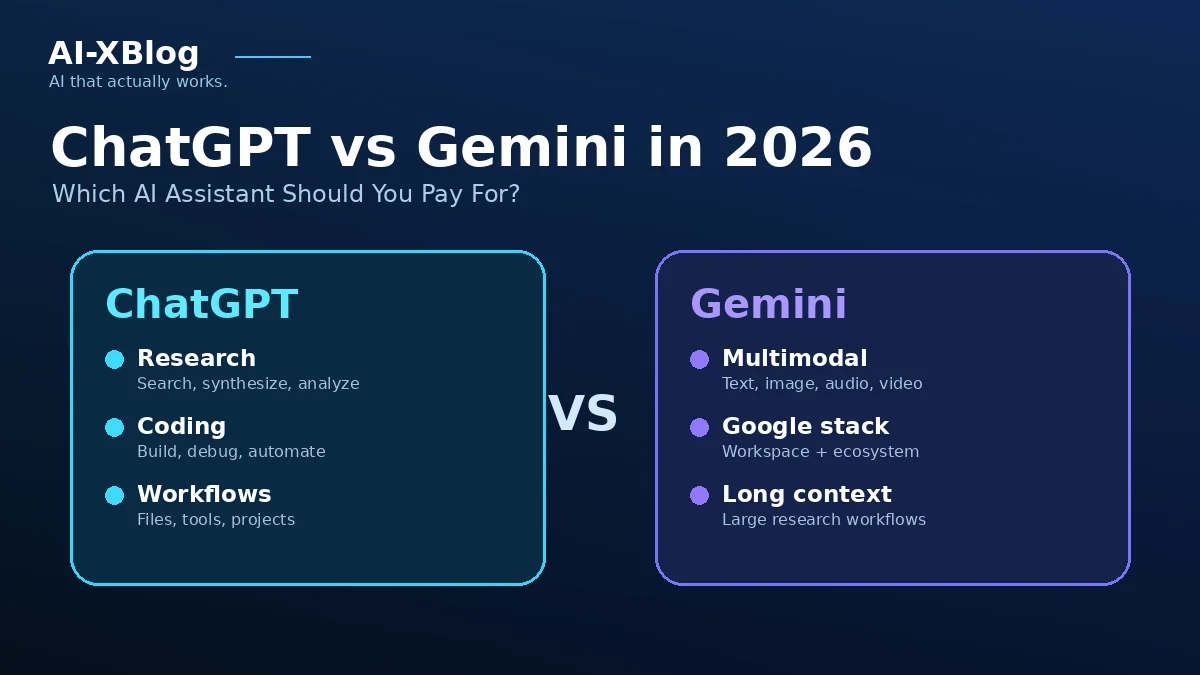
ChatGPT vs Gemini in 2026 is no longer a simple model-vs-model contest. Both products now sit inside much larger ecosystems: ChatGPT combines chat, deep research, Work, Codex, plugins, connected apps, voice and image tools, while Gemini combines the Gemini app with Google Search, Gmail, Docs, Chrome, Flow, Gemini Notebook, Jules, Antigravity and Google One storage.
That means the useful buying question is not “Which AI is smartest?” It is which subscription gives you the best workflow, integrations and capacity for the work you actually do.
Methodology: this is a documentation-based product comparison. The original comparison was researched on September 22, 2026. On October 4, 2026, AI-XBlog rechecked the listed U.S. subscription prices, the account/access requirements below and current OpenAI plugin documentation. The weekly-brief case and answer key are editorially designed examples, not outputs obtained from either product. We have not performed a hands-on comparative test.
ChatGPT vs Gemini: the short version
| Decision area | ChatGPT | Gemini |
|---|---|---|
| Lowest paid U.S. entry | Go: $8/month | Google AI Plus: $4.99/month on Gemini’s U.S. subscriptions page |
| Main individual plan | Plus: $20/month | Google AI Pro: $19.99/month |
| High-usage individual tiers | Pro: $100, $200 or $500/month | Ultra 5x $99.99; Ultra 20x $199.99 |
| Best ecosystem fit | Cross-app knowledge work, coding, browser work and connected tools | Google-heavy workflows across Search, Gmail, Docs, Chrome, creative tools and storage |
| Coding ecosystem | Codex plus ChatGPT and developer tooling | Jules, Antigravity and Gemini developer tools |
| Creative bundle | Image creation and voice are first-party ChatGPT capabilities | Flow credits, video/image creation and other Google creative tools are part of the plan ladder |
| Storage bundle | Not the main value proposition | Google One storage is a major part of paid plans |
| Best default test | Plus if ChatGPT is your primary general AI workspace | AI Pro if you already live inside Google’s ecosystem |
Our practical recommendation: choose Gemini first if Gmail, Docs, Drive, Chrome and Google Search are central to your day and you will use the storage or Flow credits. Choose ChatGPT first if you want one AI workspace that frequently crosses research, coding, files, connected services and browser execution. If the decision matters financially, test the same three real tasks in both before standardizing.
Pricing: Google now has the cheaper paid entry, while the main tier is effectively tied
| Level | ChatGPT | Gemini |
|---|---|---|
| Free | $0 | $0 |
| Low-cost paid | Go: $8/month in the U.S. | Google AI Plus: $4.99/month on the U.S. Gemini subscriptions page |
| Main paid | Plus: $20/month | Google AI Pro: $19.99/month |
| Power user | Pro: $100/month | Ultra 5x: $99.99/month |
| Higher-usage options | Pro: $200 or $500/month | Ultra 20x: $199.99/month |
The main U.S. paid tiers are nearly tied at $20 for ChatGPT Plus and $19.99 for Google AI Pro. Higher tiers do not line up one for one: OpenAI also lists a $500 Pro plan. Compare the bundle and usage you need. Google AI Pro currently includes 5 TB of cloud storage and 1,000 Flow credits, while Google AI Ultra increases both AI limits and bundled creative/storage capacity. ChatGPT’s paid value is concentrated more directly in model/tool access, deep research, Codex, Work, files, connected apps and other ChatGPT capabilities.
Google localizes plans and can show different configurations or promotions across Google surfaces, so confirm the final Google One checkout for your billing country. For a living breakdown, see our Gemini Pricing in 2026 and ChatGPT Pricing in 2026 guides.
The real difference is ecosystem architecture
Gemini is strongest when Google is already your operating system
Google’s paid AI plans are designed as ecosystem bundles. The current Google AI Pro page includes higher Gemini usage, Gemini in Gmail and Docs, Gemini in Chrome, higher Jules limits, entry Antigravity agent-model limits, Gemini Notebook capacity, Flow credits and Google One storage.
That creates a simple value proposition: if your work already starts in Gmail, Docs, Drive, Chrome and Google Search, Gemini can reduce context switching. The subscription can also replace part of a separate cloud-storage bill, which changes its effective cost for users who would buy that storage anyway.
September 23, 2026 update: Gemini is also expanding beyond Google-owned services. Google says a new wave of Connected Apps is beginning to roll out, including productivity tools such as Airtable, Linear, monday.com, PandaDoc, Wispr AI and Zoho; creative services such as Adobe, Picsart, Squarespace and Webflow; and consumer services including Experian, Peloton and SeatGeek. That narrows the old ecosystem gap with ChatGPT: Gemini is becoming a cross-vendor assistant rather than only a Google-stack assistant. Availability is not uniform, though. Google’s Connected Apps requirements table says support varies by app, device, account type, country and language—for example, Airtable currently requires a personal Google Account, age 18+, U.S. location and English. Treat third-party integrations as a capability that is rolling out, not a promise that every Gemini user has every connector today.
For company accounts, do not confuse personal Google AI plans with Workspace deployment. Admin controls, organizational data handling and edition entitlements are separate. See our Gemini in Google Workspace guide for that decision.
ChatGPT is strongest when work crosses many different systems
ChatGPT’s advantage is a broader cross-tool workspace. Deep research, files, connected apps and plugins can sit next to Codex and ChatGPT Work, which is designed for longer tasks that can use a browser, cloud computer and connected information sources.
This architecture is attractive when one task crosses several systems rather than staying inside one vendor stack. A research project might start with uploaded files and the web, move into a connected service, produce analysis, and then hand code or browser work to another tool without leaving the broader ChatGPT environment.
If that is your use case, our ChatGPT Work guide goes deeper on the execution layer.
At about $20: ChatGPT Plus vs Google AI Pro
This is the comparison most buyers should make. The prices are effectively the same in the U.S., but the included value is different.
| If you care most about… | Start with | Why |
|---|---|---|
| Gmail, Docs, Drive and Chrome | Google AI Pro | Native Google-app integration is part of the product bundle |
| Google storage | Google AI Pro | 5 TB is included on the current Gemini subscriptions page |
| Flow / Google creative tools | Google AI Pro | 1,000 Flow credits are included |
| Cross-app agentic work | ChatGPT Plus | Work, plugins/apps and connected services are central to the stack |
| Codex coding workflows | ChatGPT Plus | Codex access is part of the paid ChatGPT ecosystem |
| You are undecided | Test both | The monthly price difference is negligible; workflow fit should decide |
Research: compare evidence quality, not the feature name
Both platforms can do multi-step web research. The important evaluation is whether the system finds the sources you need, distinguishes primary from secondary evidence, cites claims clearly and lets you reproduce the result.
Google has an obvious advantage in how deeply Gemini can sit alongside Search and the rest of Google’s information ecosystem. ChatGPT’s practical advantage is that research can feed directly into Work, files, connected services and other execution tools.
If cited web research is the primary job rather than one feature inside a broader assistant, compare the dedicated research workflow and plan costs in our Perplexity Pricing in 2026 guide.
Do not decide this category using a single viral benchmark. Run the same research question with the same date cutoff, then score source quality, missing evidence, citation accuracy and how much manual correction was required.
Coding: Codex vs Jules and Antigravity is a separate workflow decision
ChatGPT buyers get access to Codex according to their plan, while Google’s paid AI ladder includes higher Jules limits and Antigravity access at higher tiers. That does not make a general ChatGPT-vs-Gemini chat comparison a responsible coding benchmark.
If coding is your main reason to subscribe, evaluate the actual developer surfaces: repository access, terminal or IDE workflow, cloud execution, review controls, agent permissions, CI fit and cost at your workload. A model leaderboard does not tell you whether the product fits your repository and deployment process.
Creative work: Google bundles credits; ChatGPT bundles first-party creation tools
Google makes creative capacity unusually visible in its pricing ladder. AI Plus includes 200 Flow credits, AI Pro includes 1,000, and Ultra tiers increase that pool to 10,000 or 25,000. Gemini plans also include different levels of image and video generation access.
ChatGPT includes image generation and voice capabilities across its product lineup with plan-specific limits. If media creation is a major buying reason, calculate the amount you actually create each month instead of treating “supports images/video/voice” as a binary feature.
Long documents and context: test your real corpus
Context-window numbers are useful, but they are often misused in comparisons. Product memory, uploaded files, retrieval, project context and a model’s maximum token window are different things.
Gemini’s paid plans advertise high-capacity document and context workflows, while ChatGPT varies context and memory behavior by model, plan and surface. The correct test is to load the actual report, repository, research corpus or document set you need and see what remains usable after several turns.
Privacy and business deployment: personal subscriptions are not governance products
Neither ChatGPT Plus nor Google AI Pro should automatically be treated as the right company-wide deployment just because an employee likes it. Business buying decisions should examine identity controls, retention, training defaults, app permissions, auditability, regional requirements and administrator policy.
If you are buying for a team, compare OpenAI’s Business/Enterprise products with Google Workspace’s organizational Gemini offerings rather than stretching a consumer-plan comparison beyond its intended scope.
A practical comparison kit: build the same weekly brief
Reader scenario: you are an adult independent professional using personal accounts. Each week, you turn non-confidential emails and documents into a short project brief. You need current dates, correct totals and traceable sources; you do not need either assistant to send messages or change files.
For this job, start with access rather than a model ranking. A subscription cannot fix a missing connection, an unsupported document type or permission to the wrong account. The following is a documentation-based eligibility check, verified October 4, 2026. It does not report hands-on results.
Check these account and access gates first
| What you need | ChatGPT route | Gemini route |
|---|---|---|
| Read your own Gmail and Drive material | Check that the Gmail and Google Drive plugins are available to your account, install them and authorize the correct accounts. Availability depends on plan, workspace and plugin; directory presence alone does not prove access. OpenAI plugin guide | In the Gemini app, connect the Google Workspace app using the same Google account. Personal-account setup requires Keep Activity and Gmail’s Smart features in other Google products to be on. The official availability table does not list an AI Pro subscription as a prerequisite for this connection. Confirm that Google Workspace appears in your Connected Apps settings; country, language, device and interface also matter. Setup · Eligibility table |
| Work directly inside Docs or Drive | A ChatGPT subscription does not buy Google’s native Gemini features. Use an available connected-app action or prepare the result in ChatGPT; check the exact action before relying on it. | Google’s personal-plan table lists Docs summarizing/writing/editing and Ask Gemini in Drive under AI Pro and Ultra. This differs from asking the Gemini app to retrieve Workspace information. Some Gmail features are free for personal accounts in the U.S. Feature-by-plan table |
| Use a particular third-party service | Check the plugin’s actual tools, connected identity and permissions. An app may support reading without supporting the write action you have in mind. Connection requirements | Check each Connected App separately. For example, Airtable currently lists personal accounts, age 18+, U.S. location and English. That is not a worldwide entitlement attached to Pro. App-specific requirements |
| Use a work or school account | Use the organization-approved workspace and integrations. Plugin availability, allowed actions and access in the source service remain separate controls. Workspace controls | Check the qualifying Workspace edition and administrator settings. Buying personal AI Pro does not unlock an employer’s Workspace data. Work/school requirements |
A retrieval limit to design around: Google’s Workspace connection cannot access comments or images in Docs or Gmail, or pictures and videos in Drive. Google also warns that it can use an older email instead of a newer one. Keep decision-critical facts in readable text and inspect the returned sources. These are limits of that connection, not a claim about every Gemini feature.
For a text-only weekly brief, first see whether the features already available to you are sufficient. In the U.S., ChatGPT Plus is $20/month and Google AI Pro is $19.99/month; Google’s displayed Pro plan includes 5 TB and 1,000 monthly Flow credits. Give those extras value only if you would actually use them. Check local checkout, taxes, any existing storage subscription and feature eligibility before paying. OpenAI pricing · Google’s U.S. plans · Monthly Flow allowance
Use the same small source pack
This fictional case and answer key were designed by AI-XBlog. They are not customer records or outputs obtained from either product. Paste the four notes into a fresh chat in each product for a controlled first pass. This isolates reading and reasoning from connector setup.
A — Project plan, October 1, 2026
The launch target is October 9. The approved spending cap is USD 900.

B — Client email, October 2, 2026
Could we bring the launch forward to October 7? No change has been approved.

C — Operations update, October 3, 2026
There are 32 contact records; 9 have no email address. Spending so far is USD 240. Email completeness does not establish permission to contact anyone.

D — Owner decision, October 3, 2026
Keep the October 9 launch date. The operations lead must review the 9 incomplete records by October 6. Permission to contact recipients must be checked before any mailing.
Use the same prompt:
Using only notes A–D, write a project brief of no more than 180 words. State the current launch date, record counts with and without email addresses, remaining budget, and next action with its owner and deadline. Cite A, B, C or D beside each factual statement. Explain any conflicting dates. Separate missing information from confirmed facts. Do not send messages, edit files, browse or take external actions.
Answer key: October 9 remains the approved date; October 7 was an unapproved request. There are 23 records with email addresses and 9 without; USD 660 remains under the cap. The operations lead must review the 9 records by October 6. Contact permission remains to be checked. Having an email address must not be described as consent.
Record the result, then test your own workflow
- One knowledge task: give both tools the same documents and ask for a decision-ready output with citations or evidence.
- One ecosystem task: use the real apps you depend on—such as Gmail/Docs/Drive for Gemini or your connected services in ChatGPT—and measure setup friction and permissions.
- One execution task: use a coding, browser, research or multi-step workflow that normally takes you at least 20 minutes.
Use this sheet for each run. Leave a result as not tested or unavailable when appropriate; do not turn an access failure into a model-quality score. Record the date, plan, visible model/mode, interface and input version first.
| Check | Pass condition | ChatGPT result | Gemini result |
|---|---|---|---|
| Current decision | October 9; identifies October 7 as an unapproved request and cites B/D. | Pass / fail / not tested | Pass / fail / not tested |
| Arithmetic | 23 records with email addresses, 9 without; USD 660 remaining, with A/C cited. | Pass / fail / not tested | Pass / fail / not tested |
| Action and uncertainty | Operations lead, October 6; does not invent mailing consent. | Pass / fail / not tested | Pass / fail / not tested |
| Source traceability | Every material claim points to a note that actually supports it. | Unsupported claims: ___ | Unsupported claims: ___ |
| Connected-data pass | On a later authorized test, retrieves the intended current sources and identifies missing material. | Available / unavailable; missed sources: ___ | Available / unavailable; missed sources: ___ |
| Your recurring effort | Count preparation, checking and correction time; record one-time setup separately. | Setup: ___ min; recurring: ___ min | Setup: ___ min; recurring: ___ min |
For the connected-data pass, use non-confidential material you may share, with equivalent readable content in both products. Replace the pasted-note instruction with the services and source titles to retrieve. Permit reading those sources only; keep sending messages and changing files prohibited. In Gemini, identify the service and distinctive content keywords rather than relying on a pasted email or document URL. Log which sources were actually retrieved. A correct answer from pasted notes does not establish that a connector found the right live records.
Decision rule: first require correct decisions, traceable evidence and acceptable data access. If both products pass, choose the one that leaves less recurring preparation and correction work at a price you accept. If a needed integration is unavailable, treat that as a workflow constraint. One small case cannot establish a universal winner or a reliable time-saving percentage.
Which should you choose?
| User profile | Start with | Reason |
|---|---|---|
| I want the cheapest useful paid tier | Gemini AI Plus | Its current U.S. $4.99 entry price undercuts ChatGPT Go |
| I live in Gmail, Docs, Drive and Chrome | Gemini AI Pro | Google integration and bundled storage can create direct value |
| I want one general workspace across many non-Google tools | ChatGPT Plus | Connected apps, plugins, Work and Codex make the stack broader across systems |
| I mainly need coding | Run a dedicated coding trial | Codex vs Jules/Antigravity should be tested on your repository, not inferred from chat quality |
| I am a heavy Google creative-tool user | Gemini | Flow credits are explicitly bundled into paid plans |
| I need company governance | Compare business products | Personal subscriptions are not the right procurement unit |
When paying for both can make sense
Paying for two AI subscriptions is rational only when they occupy different roles. A Google-heavy professional might keep AI Pro for Gmail, Docs, Chrome, Flow and storage while using ChatGPT for cross-app research, Codex or Work. The opposite can also be true if ChatGPT is primary but a specific Gemini/Google workflow saves enough time to justify the second plan.
Do not pay for both just to paste every prompt into two chat boxes. The second subscription should replace a real tool, eliminate a bottleneck or create a workflow the first cannot deliver cleanly.
Frequently asked questions
Is ChatGPT Plus or Gemini AI Pro cheaper?
They are effectively tied in the U.S.: ChatGPT Plus is $20/month and Google AI Pro is $19.99/month on the current official pages. Compare the included bundle rather than the one-cent difference.
What is the cheapest paid option?
Google’s U.S. Gemini subscriptions page currently lists Google AI Plus at $4.99/month. ChatGPT Go is $8/month in the U.S. Google can localize plan configurations and promotions, so verify checkout in your country.
Which is better for Google Workspace users?
If your work is heavily centered on Gmail, Docs, Drive and Chrome, Gemini deserves the first test because those integrations are native to Google’s ecosystem. For managed company deployment, check the actual Workspace edition and admin controls rather than buying personal AI Pro seats by default.
Which is better for coding?
There is no universal answer from a chat comparison. ChatGPT has Codex; Google offers Jules, Antigravity and Gemini developer tooling. Test the real repository, IDE/terminal workflow, permission model and cost.
Does ChatGPT Pro still cost $200?
OpenAI currently lists ChatGPT Pro plans at $100, $200 and $500 USD per month. The $200 plan is listed alongside the other tiers in the current official pricing documentation, checked October 4, 2026. Check your account checkout for local billing and availability.
Bottom line
Gemini is the more natural purchase when Google’s ecosystem is already your workspace. ChatGPT is the more natural purchase when your AI work needs to cross many tools and execution surfaces.
At the main paid tier, the price difference is essentially zero. Choose based on the ecosystem you already use, the tools you need the AI to operate, and a short test of your real work—not on a generic benchmark leaderboard.
Primary sources
- Google Gemini: subscriptions and plan comparison
- OpenAI: Introducing ChatGPT Go
- OpenAI Help Center: What is ChatGPT Plus?
- OpenAI Help Center: About ChatGPT Pro tiers
- OpenAI Help Center: ChatGPT release notes
Verification scope: listed U.S. subscription prices and the account/access matrix were rechecked October 4, 2026. The original broader comparison was researched September 22, 2026; the Connected Apps update identifies Google’s September 23 announcement. The new weekly-brief case is a fictional evaluation aid, not a product benchmark. Regional access, plan limits and bundled features can change; verify the specific feature and checkout for your account.
AI-XBlog Weekly Brief
Keep up with AI that actually works
Join the AI-XBlog Weekly Brief for major AI updates, practical workflows, useful tools, and editor’s picks. No daily noise.
Reader discussion
Join the discussion
Have you tried this tool or workflow? Share your experience, corrections, or questions. Useful reader feedback may help us improve this article.
All comments are reviewed before publication. Your email address will not be published. Promotional links and low-value spam are removed.