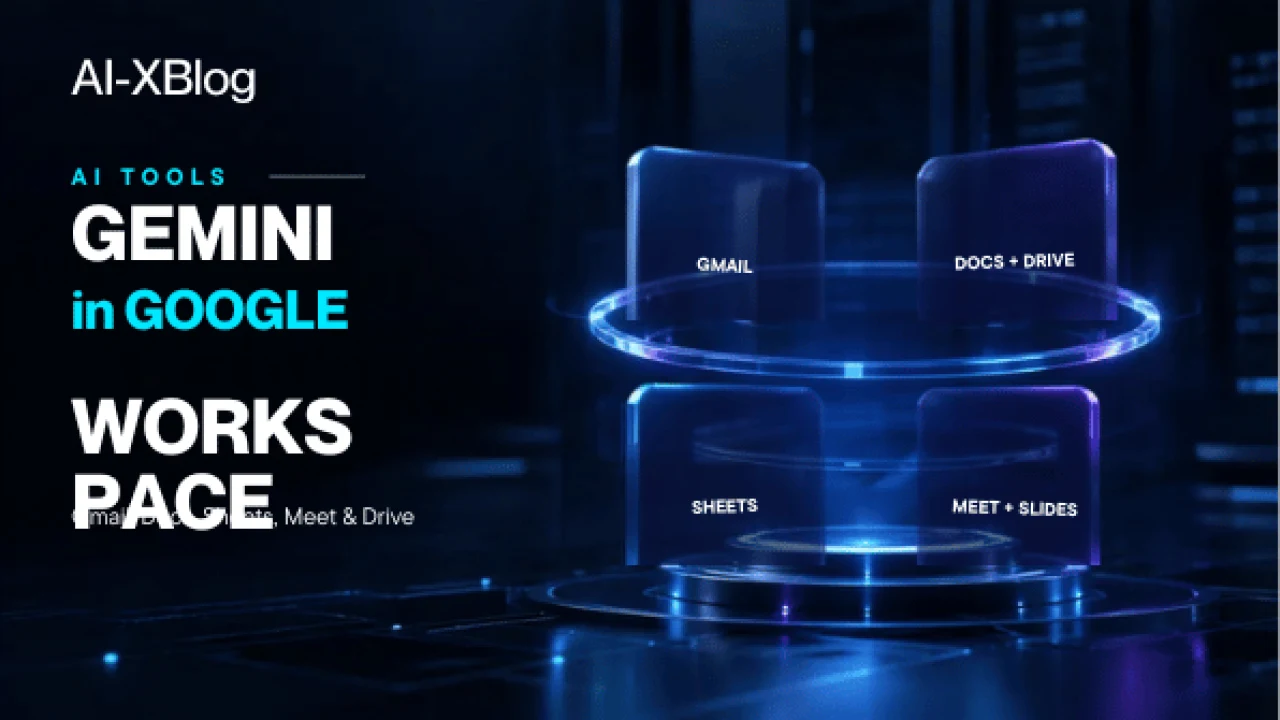
Gemini in Google Workspace is no longer just a writing assistant sitting inside individual apps. In 2026, Google is moving Workspace toward a broader AI layer that can understand context across Gmail, Drive, Docs, Sheets, Slides, Chat and meetings, then help users create, organize, analyze and act without constantly switching tools.
That shift makes the buying question more complicated than “Does Workspace include Gemini?” The useful questions are: which apps get AI on your plan, what can Gemini actually change or create, which features are still rolling out, what data can it use, and where should a business still require human review?
This guide is based on current Google Workspace pricing, product documentation and 2026 Workspace announcements. It is documentation-verified, not a claim that AI-XBlog has production-tested every feature in a live Workspace tenant. Google is rolling out several capabilities gradually, so availability can vary by plan, admin settings, language and release channel.
The short version: Workspace is becoming a cross-app AI system
The old mental model was simple: open Gmail, ask Gemini about email; open Docs, ask Gemini to write; open Sheets, ask Gemini for a formula. That model still exists, but Google is now layering Workspace Intelligence and deeper app integrations on top.
Google describes Workspace Intelligence as a system that understands relationships across your Workspace content, collaborators and active work. In September 2026, Google also announced new agentic capabilities that can orchestrate cross-app tasks from Gmail, Drive, Docs, Slides and Chat, producing outputs such as Docs, Sheets or Slides under user direction.
September 2026 update: Workspace Skills and MCP connectors
Google added another layer on September 16: Workspace Skills. These are reusable instructions plus reference material that capture team know-how and can be invoked across Workspace surfaces or connected to Workspace Studio flows. Google says skills can be built collaboratively in Docs, shared with teammates, and used for repeatable processes such as brand-consistent content, standardized templates, status updates and invoice checks. Availability currently depends on an administrator enabling the Gemini Beta setting, so this is not yet a universal capability for every Workspace account.
Google also expanded the integration boundary on September 15. Gemini in Workspace can now connect directly to third-party services including Asana, Atlassian Rovo, HubSpot, Mailchimp, QuickBooks, Monday and Salesforce through Model Context Protocol (MCP) integrations. Google says administrators can control these connectors by domain, organizational unit or group, so this is a managed Workspace capability rather than a blanket permission for Gemini to access every external service. For the protocol architecture and security model behind those integrations, see our Model Context Protocol guide.
That matters because the product is moving from “AI inside each app” toward “AI that uses several Workspace apps as one work context.”
What changes by Workspace plan?
Do not assume every Business plan exposes the same Gemini surface. Google’s current Workspace pricing page draws an important distinction:
| Plan | Current AI positioning | Practical implication |
|---|---|---|
| Business Starter | Gemini AI assistant in Gmail plus Gemini app access | Useful if email is the primary AI use case, but not the full in-app Workspace AI experience |
| Business Standard | Gemini in Gmail, Docs, Meet and more, plus expanded Gemini app and notebook access | Where Workspace starts to become a broader AI productivity suite |
| Business Plus | Includes Standard’s AI layer plus stronger storage, security and meeting capabilities | AI is only one part of the upgrade decision |
| Enterprise | Broader enterprise controls and organization-scale deployment | Verify the exact AI features, admin controls and rollout status with Google’s enterprise documentation or sales |
At the time of this review, Google’s public US pricing lists Business Starter at $7/user/month, Standard at $14 and Plus at $22 on the annual-commitment view, before temporary promotions. Pricing and promotions can change, so treat the live Workspace pricing page as the source of truth.
For personal Gemini subscription pricing rather than business Workspace deployment, see our Gemini Pricing in 2026 guide. Personal Google AI plans and organization-managed Workspace plans are different purchasing decisions. If Workspace is only one part of your software stack, our AI Tools for Small Business in 2026 guide compares the broader buying order.
Gemini in Gmail: from drafting to inbox operations
Gmail is currently one of the clearest examples of Gemini moving beyond text generation. Google’s help documentation says Gemini in Gmail can summarize threads, draft and refine email, search for details, organize mail and help schedule meetings.
- Summarize: turn long email threads into concise takeaways.
- Draft and refine: create an email, change tone or revise a draft with follow-up instructions.
- Search: ask natural-language questions about details buried in email.
- Organize: perform actions such as applying labels or deleting multiple emails where supported.
- Schedule: propose meeting times using Calendar availability.
Google has also been rolling out AI Overviews in Gmail search for business users and more proactive inbox assistance. Some of these capabilities have initially appeared through Gemini Alpha or staged rollouts, so a team should verify what is enabled in its own tenant before redesigning a workflow around them.
Gemini in Docs: source-aware drafting is the bigger change
Gemini in Docs can summarize, draft, rewrite, adjust tone, create images and reference other sources. The most important 2026 change is not “AI can write paragraphs.” It is that Docs can increasingly use context from Drive, Gmail, Chat and the web to build a document.
Google’s current Docs documentation says users can create personalized documents from source files, match the format or writing style of an existing document, reference Drive files, and review sources used in generated content.
That makes a more useful workflow possible: instead of prompting from a blank page, give Gemini the approved source material first, define the output structure, then review the generated document against those sources.
Gemini in Sheets: AI can increasingly operate on the spreadsheet
Gemini in Sheets has expanded far beyond formula generation. Google currently documents support for creating tables and formulas, analyzing data, generating charts and performing spreadsheet actions such as conditional formatting, pivot tables, dropdowns, filters, number formats, row and column operations, fill actions and optimization tasks.
This distinction matters. A chat model that explains how to build a pivot table is different from an assistant that can help perform spreadsheet operations inside the working file.
Google also notes that Gemini works best with native Google Sheets files. If your business operates primarily in Excel, verify whether converting the workbook is acceptable before assuming the same workflow applies.
Gemini in Slides: generation is becoming editable, not just visual
Google has been expanding Gemini from image generation toward editable slide creation. Current support documentation allows eligible users to generate or edit a slide with a prompt and reuse the visual style of another presentation. Google also announced complete deck-generation capabilities in its July 2026 Workspace updates.
Availability is important here: some slide-generation experiences are still constrained by desktop, language or rollout status. Treat “Gemini can generate a presentation” as a capability family, not proof that every account has the same interface today.
Gemini in Meet: the valuable output is the meeting state
Ask Gemini in Google Meet can summarize an ongoing discussion, identify key takeaways, decisions and action items, and help someone catch up after joining late when note-taking is enabled. Google says those Ask Gemini interactions are private to the individual user.
Google’s “Take notes for me” feature can also create structured notes in Google Docs and link the recap through the Calendar event. For teams, the real value is not a meeting transcript by itself; it is converting live discussion into an artifact that can feed the rest of the Workspace workflow.
Gemini in Drive: retrieval is turning into organization
Drive has traditionally been where Workspace AI finds source material. In June 2026, Google made its “Organize my files” capability generally available for eligible plans. It can suggest moving loose files into existing folders or create new folders based on content and organization patterns.
Google currently documents this feature as Drive-web and English-only, and eligible files include Google Workspace files, PDFs, Microsoft Office files, images and videos with transcripts. Users need Editor access to the files being organized.
The bigger shift: cross-app work
The most strategically important Workspace change is that Gemini is no longer limited to responding inside the app you happen to have open. Google’s September 2026 announcement describes Gemini acting as an orchestrator across Gmail, Drive, Docs, Slides and Chat, gathering context from sources you select or that your admin has enabled, then producing structured outputs under your direction.
That creates a different class of business workflow:
- Read approved customer emails and project files.
- Summarize the current state and unresolved decisions.
- Create a structured Google Doc or Sheet.
- Prepare a slide or update for review.
- Keep the user in the approval loop before an external action.
This is much closer to an agentic workspace than a collection of isolated writing assistants. It also means organizations need to think about source permissions, admin controls and review boundaries—not only prompt quality. For the broader framework on when to use deterministic automation, an AI step or an agentic workflow, see our AI Automation in 2026 guide.
A practical way to decide where Gemini belongs in your workflow
| Work pattern | Best Workspace surface to start with | Human check to keep |
|---|---|---|
| Inbox catch-up and scheduling | Gmail | Confirm external recipients, dates and commitments |
| Briefs, proposals and source-based writing | Docs | Verify evidence and final claims |
| Analysis and recurring business data | Sheets | Validate formulas, transformations and edge cases |
| Meeting follow-up | Meet + Docs + Calendar | Confirm decisions, owners and sensitive notes |
| Knowledge retrieval and file hygiene | Drive | Review permission boundaries and move suggestions |
| Cross-app deliverables | Workspace Intelligence / Gemini across Workspace | Keep approval before external or irreversible actions |
Privacy and business data handling
Google states that Workspace customer data remains subject to Workspace privacy protections and is not used to train or improve the underlying generative AI models outside Workspace without permission. That is an important distinction from treating company work as ordinary consumer AI input.
But “Google does not train on Workspace data without permission” is not the end of governance. Admins still need to decide who can access AI features, what data users can reference, whether sensitive material should be included in prompts, and how generated artifacts enter business processes.
Five checks before a company rolls Gemini out broadly
- Check the actual plan. Starter and Standard do not expose the same in-app AI surface.
- Check tenant availability. Some 2026 features are staged, language-limited, desktop-only, Alpha/Beta or Workspace Experiments features.
- Define approved sources. Cross-app context is powerful because it can see more; that makes source and permission design more important.
- Keep human approval for consequential actions. Drafting a report is lower risk than sending a customer commitment or changing business records.
- Measure workflow outcomes. Judge Gemini by time saved, error rate and completion quality—not by how impressive the demo looks.
Who benefits most from Gemini in Workspace?
Gemini in Workspace makes the strongest case when a team’s work already lives inside Gmail, Drive, Docs, Sheets, Slides, Meet and Chat. In that environment, the main advantage is not access to one model. It is the ability to apply AI directly to the documents, email, meetings and files where the work already happens.
If your company mainly works outside Google’s ecosystem, that integration advantage is smaller. A standalone AI product may offer stronger capabilities for a particular task, while Workspace wins when context and execution inside Google’s productivity stack are the priority.
Sources and verification notes
Freshness check: the Workspace Skills and third-party MCP connector updates were rechecked on September 25, 2026; the broader app-by-app feature review was completed on September 18, 2026. This guide incorporates Google’s September 16 announcement of Skills in Google Workspace, the September 15 third-party connector update, and the September 9 update on cross-app agentic capabilities. Preview, beta, language and administrator controls can change faster than the underlying Workspace plan names.
Primary sources used for this guide include Google’s Workspace pricing page, Google Workspace with Gemini feature guide, Gemini in Gmail documentation, Gemini in Docs documentation, Gemini in Sheets documentation, Ask Gemini in Meet documentation, and Google’s 2026 Workspace product announcements. Availability can change after publication, so check the linked product documentation for your specific plan and tenant.
AI-XBlog Weekly Brief
Keep up with AI that actually works
Join the AI-XBlog Weekly Brief for major AI updates, practical workflows, useful tools, and editor’s picks. No daily noise.
Reader discussion
Join the discussion
Have you tried this tool or workflow? Share your experience, corrections, or questions. Useful reader feedback may help us improve this article.
All comments are reviewed before publication. Your email address will not be published. Promotional links and low-value spam are removed.