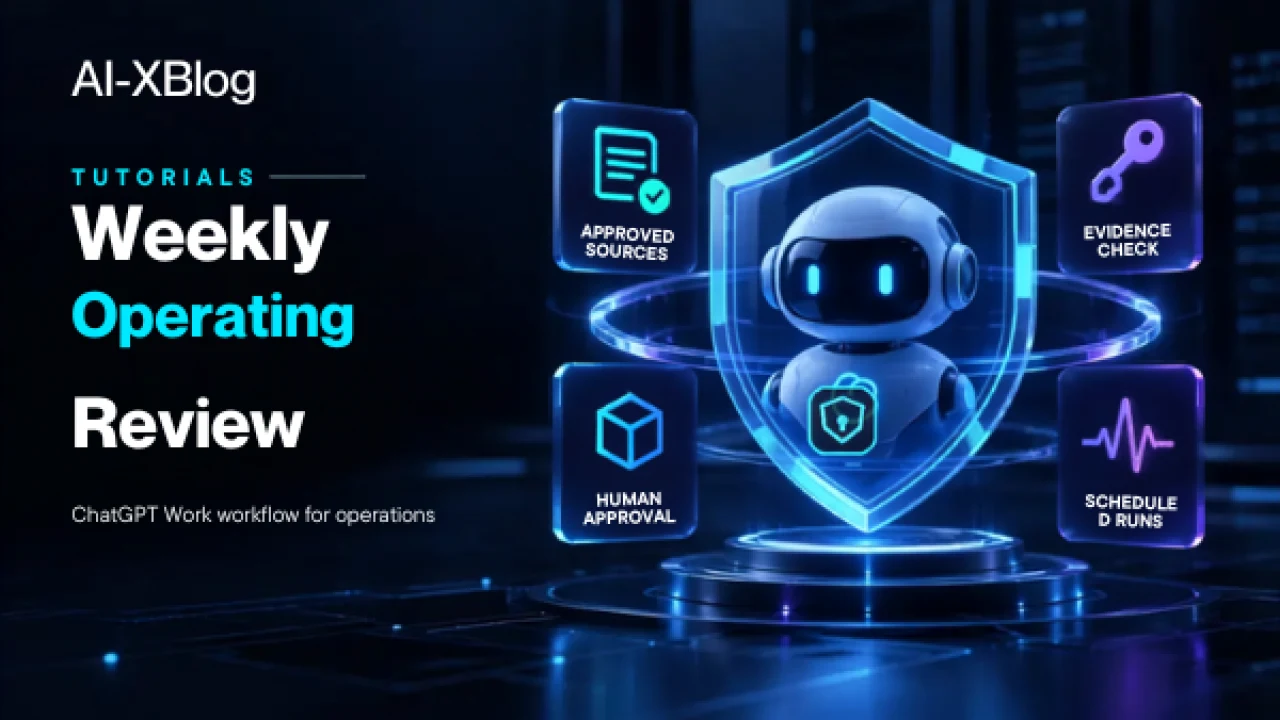
This tutorial shows how to turn ChatGPT Work into a repeatable weekly operating-review workflow: gather updates from approved sources, separate facts from assumptions, surface blockers and decisions, create a review workbook or document, draft the stakeholder update, require human approval, and schedule the next run.
The goal is not to ask AI to ‘summarize everything.’ A useful operating review needs a stable source boundary, a reporting cutoff, evidence for material claims, explicit handling of conflicts and missing owners, and a controlled publication step. The workflow below turns those requirements into an operating procedure you can reuse each week.
Methodology note: this is a documentation-based implementation guide built from current OpenAI product documentation and OpenAI Academy operating-review examples. AI-XBlog is not claiming that this exact workflow has been production-tested in your environment. Validate it against your own data sources, permissions, review process, and workspace settings before relying on it operationally.
What you will build
The workflow follows this control pattern:
approved sources → reporting cutoff → source-backed analysis → operating-review file → evidence check → human approval → stakeholder draft → scheduled next run
| Stage | Purpose | Control |
|---|---|---|
| Source lock | Define exactly which systems, views, files or dashboards Work may use | Human-defined allowlist |
| Cutoff | Define the reporting date/time and freshness requirement | Deterministic rule |
| Analysis | Identify meaningful changes, blockers, dependencies and decisions | Work + evidence rules |
| Review file | Create a consistent workbook or document | Fixed output structure |
| Evidence check | Trace consequential claims back to source records | Human review |
| Stakeholder update | Draft the leadership or team message | Draft only until approved |
| Schedule | Repeat the same workflow on the next cycle | Scheduled task |
| Failure path | Stop safely when sources, permissions or evidence are incomplete | Fail closed |
If you need the product-level explanation first, read our ChatGPT Work in 2026 guide. This tutorial assumes you already understand when Work is more appropriate than normal Chat or Codex.
Prerequisites
- Access to ChatGPT Work in an eligible account or managed workspace.
- One or more approved, connected sources containing the operational data you review each week.
- A destination for the finished review, such as Google Sheets or another approved file surface supported in your environment.
- An optional Slack or other approved stakeholder channel if you want Work to prepare an update.
- A human reviewer who owns the final escalation, assignments and publication decision.
- Stable definitions for the KPIs, statuses and reporting period used by the review.
For a recurring workflow, prefer connected systems or stable approved data views over one-off attachments. OpenAI currently notes that scheduled tasks created in a Project cannot use files uploaded to that Project. A weekly process should not silently depend on context that will disappear or become unavailable on the next run.
Step 1: create a source registry before you write the prompt
The first version of the workflow should use a small, explicit source allowlist. Do not begin with ‘search all our connected tools.’ A source registry makes the review reproducible and gives the reviewer a concrete answer to ‘where did this number come from?’
| Source | What it is authoritative for | Freshness rule | Write access? |
|---|---|---|---|
| Project tracker | Milestones, status and named owners | Updated within current reporting cycle | No |
| KPI dashboard | Approved metrics and definitions | Latest closed reporting period | No |
| Risk / issue log | Open blockers, severity and dependencies | Current as of cutoff | No |
| Prior weekly review | Previous state for new/ongoing/resolved comparison | Immediately previous approved review | No |
Keep source systems read-only in the first version. The weekly review should summarize and escalate; it should not edit your system of record just because it found a discrepancy.
Step 2: define the reporting contract
Before Work analyzes anything, define the rules that make one weekly review comparable with the next. A simple reporting contract should include:
- Cutoff: the exact date/time or closed period the review represents.
- Scope: which programs, regions, products or teams are in and out.
- KPI definitions: the approved metric names, units and denominators.
- Trend rule: only claim improvement or deterioration when a valid comparison period exists.
- Materiality rule: what qualifies as a blocker, escalation or decision needed.
- Ownership rule: do not infer an owner from job title or proximity; if the source does not name one, show
Owner needed. - Date rule: if no supported due date exists, show
Date needed. - Conflict rule: when two sources disagree, preserve the disagreement instead of choosing one silently.
This reporting contract is what stops an AI-generated operating review from becoming a polished collection of guesses.
Step 3: use a fixed operating-review structure
OpenAI’s Business Operations example uses a four-part review structure. The exact names can change, but keeping the structure stable from week to week is useful because people learn where to look for status, blockers, decisions and evidence.
| Section | Required content |
|---|---|
| Operating summary | Overall status, meaningful progress, top blockers and decisions needed |
| Blockers and dependencies | Operational impact, supporting source, current status and proposed next step |
| Decisions and owners | Decision/follow-up, supported owner, supported date, approval state |
| Sources and open questions | Sources used, assumptions, conflicts, stale inputs and unresolved questions |
For a small company, this can be one spreadsheet with four tabs. For a larger organization, the same structure can be a workbook plus a leadership brief. The important part is the information contract, not the file format.
Step 4: give Work an evidence-first instruction
Instead of prompting ‘create our weekly report,’ give Work a bounded assignment. The template below is designed to be adapted, not copied blindly.
Use only these approved sources:
- [source / view 1]
- [source / view 2]
- [source / view 3]
- [previous approved review, if available]

Reporting cutoff: [date/time and timezone]
Scope: [programs / teams / markets included]

Create a new weekly operating review for [run date].

Use these sections in this order:
1. Operating summary
2. Blockers and dependencies
3. Decisions and owners
4. Sources and open questions

Rules:
- Separate confirmed facts from assumptions and recommendations.
- Cite or name the supporting source for every material blocker and escalation.
- If sources disagree, show the conflict and what must be verified.
- Do not claim a trend unless a valid prior comparison exists.
- Do not invent an owner, deadline, commitment or approval.
- Use “Owner needed” and “Date needed” when the sources do not support them.
- Do not modify source systems.
- Draft the stakeholder update, but do not send or post it until I approve.
The point is to tell Work what it may use, what it must produce, what it must not infer, and where human authority begins.
Step 5: require conflict handling instead of forced consensus
One of the most valuable parts of OpenAI’s operating-review example is not the spreadsheet—it is the treatment of conflicting records. If one source says a component is blocking delivery while another marks the same area green, the review should not average the two or choose whichever looks newer without a rule.
Use a conflict record such as:
Conflict: [short description]
Source A says: [supported statement]
Source B says: [supported statement]
Operational impact: [what decision or plan is affected]
Confirmed: [what both sources support]
Unresolved: [what remains uncertain]
Verification needed: [specific human/source check]
Owner: Owner needed unless explicitly supported
This keeps uncertainty visible to leadership instead of hiding it inside a fluent narrative.
Step 6: run an evidence check on the most consequential claim
Before the review is shared, select at least one material blocker, recommendation or escalation and ask Work to trace it back to the sources. This is a lightweight control that is more useful than rereading every sentence with the same attention.
Show the evidence behind the most consequential escalation in this review.

Include:
- source record(s)
- confirmed operational impact
- any conflicting evidence
- what is inference vs confirmed fact
- proposed next step
- what still requires human verification
If Work cannot trace the claim, remove or downgrade the claim before publication. A leadership-ready sentence without a source trail is still an unsupported sentence.
Step 7: keep the stakeholder message behind an approval gate
The review file and the stakeholder message are different outputs. Let Work draft the message, but do not make posting automatic in the first version.
- Confirm the reporting period and status.
- Confirm that the top blocker matches the evidence.
- Confirm that every named owner is supported by a source or approved by a person.
- Confirm that the decision request is explicit.
- Confirm that the workbook/document link works.
- Confirm that sensitive or internal-only detail is appropriate for the destination channel.
OpenAI’s current scheduled-task guidance also notes that actions requiring approval can pause a task. Treat that pause as a control, not an inconvenience.
Step 8: schedule the next run only after the manual workflow is stable
Do not schedule version one before you have reviewed at least one manual run. First stabilize the source allowlist, review structure, evidence rules and approval step. Then schedule the same workflow for the next reporting cycle.
Schedule this operating-review workflow for [day and time].

For each run:
- use the same approved source registry unless I change it;
- create a new dated review instead of overwriting the previous one;
- preserve prior approved reviews;
- compare against the most recent approved review when available;
- label blockers/actions as new, ongoing or resolved only when the evidence supports the comparison;
- keep the stakeholder message in draft until I approve it;
- stop and tell me what is missing if a required source, permission or definition is unavailable.
Exact scheduling availability depends on plan and workspace settings. OpenAI currently supports recurring scheduled tasks, with exact times and hourly schedules on eligible paid plans. Business accounts currently allow up to 10 active scheduled tasks. Check the current task limits before turning several operating workflows into separate schedules.
Step 9: design the failure path before you trust the recurring run
A recurring operating review should fail closed when it loses the context needed to support a decision. Add explicit stop conditions:
- Required source unavailable: stop and list the missing source; do not substitute an unapproved source.
- Stale data: flag the date and do not present stale values as current.
- KPI definition changed: stop trend comparison until the definition is reconciled.
- Conflicting sources: preserve the conflict and route it for verification.
- No prior review: do not invent week-over-week movement; mark the run as baseline.
- Missing owner/date: show the gap instead of assigning one.
- Approval not received: keep the stakeholder update unposted.
- Connected-app permission removed: stop the affected action and surface the permission problem.
This is the same principle behind our 7-Factor Automation Scorecard: the safest early automations are measurable, reviewable and able to fail without silently creating an irreversible outcome.
Step 10: review the first three scheduled runs as a pilot
Scheduling does not turn a good prompt into a reliable operating process. Treat the first three recurring runs as a pilot and measure both quality and operating cost.
| Check | What good looks like |
|---|---|
| Source completeness | Every required source connected and fresh |
| Evidence traceability | Material claims can be traced to source records |
| Conflict handling | Disagreements remain visible until resolved |
| Owner/date accuracy | No invented assignments or deadlines |
| Trend accuracy | New/ongoing/resolved labels have a valid prior basis |
| Approval discipline | No stakeholder message posts before approval |
| Reviewer effort | Human review time falls without lowering confidence |
| Cycle time | Review is ready earlier than the manual process |
If review effort stays high because the same source conflict or missing field appears every week, fix the upstream operating process rather than adding more prompt instructions.
When this workflow should become something more formal
A scheduled Work task is useful while the process is still owned by one operator or a small team. If the operating review becomes mission-critical, runs for many teams, or needs standardized permissions and reusable configuration, consider turning the stable process into a shared Workspace Agent, Skill, or conventional automation.
If the workflow becomes code-centric—maintaining a data pipeline, modifying a repository, updating tests or changing a technical integration—the center of gravity has moved toward Codex rather than Work. Our AI Automation guide explains the broader choice between deterministic workflows, AI-assisted automation and agentic execution.
A reusable pre-run checklist
- Approved source registry is still correct.
- Reporting cutoff and timezone are explicit.
- KPI definitions and units have not changed.
- Previous approved review is available if trend labels are expected.
- Required plugins/connections still have permission.
- Source conflicts must remain visible.
- Missing owners and dates must remain unresolved.
- Source systems stay read-only unless separately approved.
- Stakeholder message requires human approval.
- Scheduled run creates a new dated artifact rather than overwriting history.
FAQ
Should ChatGPT Work update the source systems after the review?
Not in the first version. Keep the review workflow read-only and separate the decision to change a system of record into its own approved action. This keeps reporting errors from becoming operational changes.
Can I build the weekly review from files uploaded to a ChatGPT Project?
For a manual Work run, project context can be useful where supported. For a scheduled task, OpenAI currently says a task created in a Project cannot access uploaded Project files. Use stable connected sources for recurring runs unless the product documentation for your exact setup says otherwise.
Should the weekly review post to Slack automatically?
Start with draft + approval. Once the evidence quality, permissions, audience and message structure are stable, you can decide whether any low-risk notifications should become automatic. Consequential escalations and commitments should keep a human approval point.
What if there is no previous weekly review?
Treat the first run as a baseline. Do not label items improved, deteriorated, new, ongoing or resolved unless the available evidence supports the comparison.
Primary sources
- OpenAI Academy: ChatGPT Work for business operations teams — Webinar Resource Guide
- OpenAI: ChatGPT Work for Business Operations
- OpenAI Help Center: Scheduled tasks in ChatGPT
- OpenAI Help Center: ChatGPT Work and Codex
Source check: September 17, 2026. ChatGPT Work, plugins, scheduling, active-task limits and connected-app behavior are living product details and should be rechecked during future updates.
AI-XBlog Weekly Brief
Keep up with AI that actually works
Join the AI-XBlog Weekly Brief for major AI updates, practical workflows, useful tools, and editor’s picks. No daily noise.
Reader discussion
Join the discussion
Have you tried this tool or workflow? Share your experience, corrections, or questions. Useful reader feedback may help us improve this article.
All comments are reviewed before publication. Your email address will not be published. Promotional links and low-value spam are removed.