The best first AI automation for a small business is usually not the most impressive one. It is a repetitive, measurable workflow that matters to the business, fails safely, can be reviewed quickly, and is cheap enough to test without creating a second job for the owner.
That sounds simple, but most advice stops at “automate repetitive tasks” or hands you a list of 20 tools. The harder decision is choosing between several real workflows when each one saves time, touches different data, carries a different cost of failure, and requires a different level of human review.
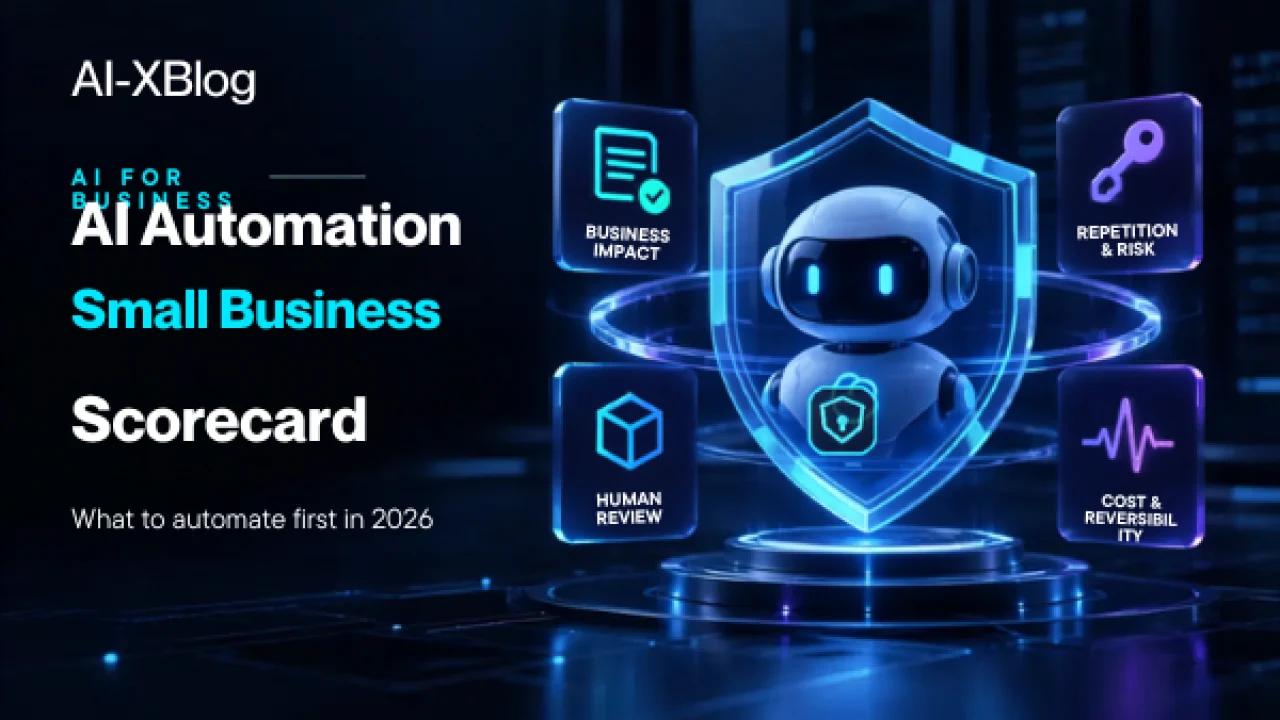
This guide gives you a practical way to make that decision. The AI-XBlog 7-Factor Automation Scorecard ranks candidate workflows on business impact, repetition, data sensitivity, failure cost, reversibility, human-review requirements and implementation cost. It also includes a separate red-line check for tasks that should not become your first autonomous workflow even if the arithmetic looks attractive.
Methodology note: this is a researched decision framework built from current small-business AI adoption data, official automation guidance and AI risk-management principles. The scorecard is an editorial planning heuristic, not a formal safety certification or industry standard.
Quick answer: what should a small business automate first?
Start with a workflow that happens often, creates meaningful business value, uses data you are comfortable processing, is easy to stop or undo, and lets a person review exceptions before they affect customers, money, permissions or legal commitments.
Good first candidates often include:
- Routing inbound leads or support requests
- Drafting follow-up messages for approval
- Turning meeting notes into tasks and CRM updates
- Extracting structured fields from routine documents
- Preparing recurring reports from known data sources
- Sending internal notifications and reminders
- Summarizing a shared inbox or queue for a human owner
Poor first candidates are workflows where one bad decision can move money, create a binding promise, expose sensitive information, discriminate against someone, or cause harm that is difficult to reverse.
Why this decision matters more in 2026
Small-business AI adoption is no longer a fringe experiment. Intuit QuickBooks reported in July 2026 that 80% of surveyed U.S. businesses with 0–100 employees were using AI regularly, with marketing, customer service and data processing among the most common tasks. Its broader 2026 AI Impact Report, based on more than 34,000 survey responses across the U.S., Canada, the U.K. and Australia plus anonymized data from more than 5.3 million QuickBooks businesses, found that AI use was widespread but lower in areas where human judgment matters most.
Major vendors are also pushing beyond the chat window. OpenAI’s small-business programs emphasize workflow-first learning and connecting AI to recurring work, while Anthropic’s Claude for Small Business package is explicitly designed to put AI inside tools such as QuickBooks, HubSpot, Google Workspace and Microsoft 365. Microsoft’s own AI automation guidance recommends starting with high-volume repetitive work, piloting in one team, measuring the result and expanding gradually.
The implication is important: access to AI is no longer the bottleneck. Choosing the right workflow is.
First question: does this workflow need AI at all?
Before scoring anything, separate ordinary automation from AI automation. A workflow does not become better because you add a model to it.
| Use | When it fits | Example |
|---|---|---|
| Deterministic automation | The rules and sequence are known in advance. | When a paid invoice arrives, update the CRM and notify the account owner. |
| AI-assisted automation | One bounded step requires interpretation of messy text, images or documents. | Read an inbound email, classify its intent, then route it through fixed rules. |
| Agentic automation | The system genuinely needs to choose among approved tools or actions at runtime. | Research a customer issue across several sources, decide which tool to query next, then prepare a case summary. |
Our broader AI Automation in 2026 guide explains this control ladder in more detail. The rule is simple: use the least autonomous design that can reliably solve the problem.
The AI-XBlog 7-Factor Automation Scorecard
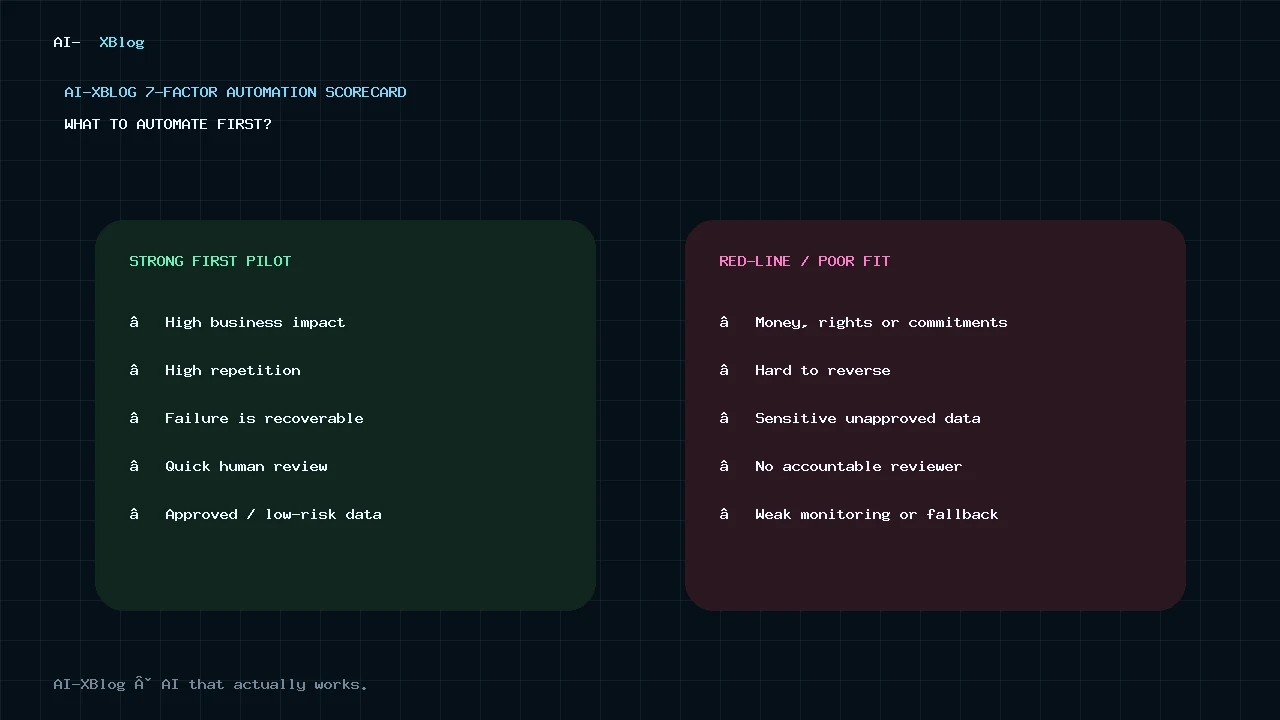
List three to ten workflows your business could automate. Score each factor from 1 to 5. For the risk-related factors, the score is deliberately reversed so 5 always means “better candidate for an early automation.”
| Factor | 1 means | 5 means | Weight |
|---|---|---|---|
| Business impact | Little time, revenue, service or quality impact | Material time, revenue, service or quality impact | ×2 |
| Repetition | Rare or unpredictable | High-volume and recurring | ×2 |
| Data safety | Highly sensitive or tightly restricted data | Low-sensitivity or already-approved data | ×1.5 |
| Failure tolerance | A mistake is expensive or harmful | A mistake is cheap, visible and recoverable | ×1.5 |
| Reversibility | Hard or impossible to undo | Easy to roll back or correct | ×1 |
| Human-review fit | Review is slow, difficult or unrealistic | Review is quick, obvious or only needed for exceptions | ×1 |
| Implementation efficiency | Expensive, fragile or integration-heavy | Cheap, bounded and easy to maintain | ×1 |
Use this formula:
Priority score = (Impact × 2) + (Repetition × 2) + (Data safety × 1.5) + (Failure tolerance × 1.5) + Reversibility + Human-review fit + Implementation efficiency
The maximum is 50 points. The weighting intentionally gives business value and frequency more influence while still making risk and reversibility large enough to change the order.
| Score | How to interpret it |
|---|---|
| 40–50 | Strong first-automation candidate, assuming it passes the red-line check below. |
| 33–39.5 | Good pilot candidate, usually with approval gates or a narrower scope. |
| 25–32.5 | Redesign the workflow, simplify the process or add controls before automating. |
| Below 25 | Usually a poor early candidate. Keep it manual, improve the process first, or revisit later. |
These bands are not industry benchmarks. They are a practical way to make tradeoffs visible. A score should force a discussion about why a workflow is attractive or risky, not replace judgment.
How to score each factor
1. Business impact
Measure the outcome, not how “AI-like” the workflow sounds. A useful automation should save meaningful time, reduce a real operating bottleneck, improve response speed, prevent a measurable error, recover missed opportunities or improve service quality.
Ask: If this workflow worked reliably for three months, would the business notice?
2. Repetition
A five-minute task performed 100 times a week can be a better target than a two-hour task performed once a quarter. Frequency compounds the value of a reliable automation and gives you more runs to observe, test and improve.
3. Data safety
Ask what information the workflow must access and where that information will go. Customer records, employee data, financial documents, credentials, health information and confidential contracts demand a much higher standard than a public product catalog or an internal list of approved FAQ answers.
Do not give a workflow access to sensitive data merely because a connector makes it easy. Check the provider’s data controls, retention settings, permissions and contractual requirements first.
4. Failure tolerance
The relevant question is not “Can the AI make mistakes?” It can. The question is: what happens when it does?
A misclassified internal email that lands in the wrong review queue is usually cheap to correct. An AI system that sends an incorrect legal promise, approves a refund, changes a price or rejects a job applicant can create much more serious consequences.
5. Reversibility
Early automations should favor actions that can be undone. Drafting a reply is more reversible than sending it. Creating a proposed CRM update is more reversible than overwriting the record. Flagging an invoice is more reversible than paying it.
Reversibility reduces the blast radius while the workflow is still earning your trust.
6. Human-review fit
“Human in the loop” is useful only when the human can realistically review the output. If a person must reread 20 pages of context to verify every AI action, you may have created an expensive drafting assistant rather than an automation.
High scores go to workflows where review is fast: approve a drafted email, confirm extracted invoice fields, check a classification label, or inspect a short exception summary.
7. Implementation efficiency
Count more than software subscriptions. Real implementation cost includes setup, integrations, model usage, credential management, monitoring, exception handling and maintenance when APIs or business processes change.
A workflow that saves three hours a month but requires constant debugging is not a win.
Worked examples: which workflows rise to the top?
These examples use the same scorecard. The exact numbers will change by business; the purpose is to show how risk can reorder seemingly attractive projects.
| Workflow | Impact | Repetition | Data safety | Failure tolerance | Reversibility | Review fit | Implementation | Score |
|---|---|---|---|---|---|---|---|---|
| Recurring KPI report assembly | 4 | 4 | 4 | 4 | 5 | 5 | 4 | 42/50 |
| Inbound lead routing + follow-up draft | 5 | 5 | 3 | 3 | 4 | 4 | 4 | 41/50 |
| Invoice field extraction + human approval | 4 | 5 | 2 | 3 | 4 | 5 | 3 | 37.5/50 |
| Social posts published automatically with no review | 3 | 4 | 4 | 2 | 3 | 1 | 4 | 31/50 |
| AI issues customer refunds autonomously | 4 | 3 | 2 | 1 | 2 | 1 | 2 | 23.5/50 |
Notice that invoice extraction can still be a good pilot even though it touches financial data, because the design keeps approval with a person. The same workflow would score much worse if the AI were allowed to approve or pay invoices by itself.
The red-line check: what should not be your first autonomous AI workflow?
A numerical score cannot capture every legal, ethical or operational constraint. NIST’s AI Risk Management Framework emphasizes that risk management should consider context, trustworthiness, accountability, privacy, safety and human oversight across the AI lifecycle. For a small business, that translates into a simple rule: high-stakes actions need stronger controls than routine coordination work.
Do not make any of these your first fully autonomous AI project without domain-specific controls and appropriate professional review:
- Moving money, approving refunds or changing payment details
- Making final hiring, firing, disciplinary or compensation decisions
- Issuing legal, tax, medical or regulated professional advice
- Changing contracts, prices, credits or binding customer commitments
- Sending highly sensitive or confidential data to unapproved systems
- Changing permissions, deleting records or taking hard-to-reverse security actions
- Publishing consequential public statements with no approval path
The safer pattern is often AI proposes → deterministic checks validate → human approves → software executes.
Why “human review” is not a magic safety switch
A reviewer can become a rubber stamp when the volume is too high, the context is too complex or the AI is usually correct. NIST’s generative-AI guidance specifically warns about automation bias: people can over-rely on automated systems and perceive their output as more trustworthy than it deserves.
Design the review step so the person can actually challenge the output:
- Show the source data that produced the recommendation.
- Keep the requested approval narrow and understandable.
- Make rejection or correction as easy as approval.
- Log overrides and common failure patterns.
- Escalate low-confidence or unusual cases rather than forcing a decision.
A 30-day way to pilot your first automation
You do not need to hand an agent production access on day one. Increase autonomy only as the workflow proves itself.
- Week 1 — Map and measure. Write down the current workflow, owner, volume, average handling time, common exceptions and failure cost. Choose one success metric.
- Week 2 — Run in shadow mode. Let the workflow classify, extract or draft, but do not let it take external action. Compare its output with what the team would have done.
- Week 3 — Add an approval gate. Let staff approve bounded actions such as a draft reply, extracted fields or routing decision. Track how often they edit or reject the AI output.
- Week 4 — Automate only the proven path. Remove approval only from low-risk steps that have predictable outcomes. Keep exceptions and consequential actions routed to a person.
If the workflow is not saving time by the end of the pilot because the review burden is too high, that is useful information. Narrow the AI step, improve the inputs, simplify the process or return part of the workflow to deterministic rules.
How to measure whether the automation is actually worth keeping
Avoid vanity metrics such as “number of AI runs.” Measure the business outcome.
- Time saved: manual minutes before vs. after, including review time
- Throughput: requests, documents or cases completed per week
- Cycle time: how long a lead, ticket or task waits before the next useful action
- Error rate: incorrect routing, extraction, drafts or downstream corrections
- Review rate: how many runs still require a person
- Override rate: how often humans change the AI recommendation
- Cost per successful outcome: platform + model + infrastructure + maintenance + review
A simple monthly value calculation is:
Monthly net value = measurable labor time saved + measurable avoided costs − software − model usage − maintenance − human review
Do not add speculative “revenue generated by AI” unless you can connect the workflow to a real baseline and outcome.
Which tools should you use after you choose the workflow?
Tool selection comes after the scorecard, not before it. For the broader buying decision across workspace AI, general assistants, specialist tools and automation, see our AI Tools for Small Business in 2026 guide. For mainstream SaaS connections and fast setup, Zapier is often easy to evaluate. Make is strong for visual branching and operations-heavy workflows. n8n is particularly relevant when you need API flexibility, code, self-hosting or deeper AI-agent orchestration. Microsoft-centric businesses should also consider Power Automate because ecosystem fit can outweigh standalone feature differences.
Our n8n vs Zapier comparison covers one of the most common platform decisions, including current pricing logic. If the workflow truly requires runtime tool selection rather than a known sequence, read our AI Agents in 2026 guide before adding more autonomy.
Copy this blank scorecard
| Candidate workflow | Impact 1–5 | Repetition 1–5 | Data safety 1–5 | Failure tolerance 1–5 | Reversibility 1–5 | Review fit 1–5 | Implementation 1–5 | Total / 50 |
|---|---|---|---|---|---|---|---|---|
| Workflow 1 | ||||||||
| Workflow 2 | ||||||||
| Workflow 3 |
Then apply the red-line check. The highest score that also passes the risk check is your best candidate for a small pilot. If that pilot uses tool-calling agents or write-capable credentials, use our AI Agent Security in 2026 guide to design permissions, approvals, sandboxing and runtime controls.
FAQ
What is the best process for a small business to automate first?
Usually a frequent, measurable, low-risk workflow with clear inputs and outputs, such as lead routing, report preparation, document extraction with approval, meeting-to-task handoffs or internal notifications. The right answer depends on your actual workload and failure cost, which is why a scorecard is more useful than a universal top-10 list.
Should I automate the task that takes the most time?
Not automatically. Time cost matters, but a rare, sensitive or high-risk task can be a poor first project. Frequency, reversibility, review burden and the cost of mistakes can make a smaller “boring” workflow a better starting point.
Does every business automation need AI?
No. If the inputs are structured and the rules are clear, normal automation is usually cheaper, more predictable and easier to maintain. Use AI for bounded steps that genuinely require interpretation, and use agents only when runtime tool selection or adaptive sequencing is necessary.
What business tasks should not be fully automated with AI?
Be especially cautious with money movement, final employment decisions, legal or regulated professional advice, binding customer commitments, sensitive-data handling and irreversible security or data actions. These areas often require stronger governance, deterministic controls and accountable human review.
How much should a small business spend on its first AI automation?
There is no useful universal dollar figure. Start with one bounded workflow whose expected value can be measured against total cost: software, model usage, setup, maintenance and review time. A cheap subscription can still be expensive if the workflow needs constant supervision; a higher platform fee can be reasonable if it removes operational work and delivers a measurable result.
Bottom line
Small businesses do not need to “automate everything.” They need to choose one workflow where the business value is real and the downside is controlled.
Start with impact and repetition. Then subtract risk, irreversibility, review burden and implementation friction. If the best candidate still looks safe and measurable, run it in shadow mode, add approval, and increase autonomy only after the evidence supports it.
That approach is less exciting than buying an “AI employee.” It is also much more likely to produce an automation your business will still be using six months later.
Primary sources
Source check: September 16, 2026. Product programs, adoption data and AI guidance can change; this page should be rechecked when material new data or regulations affect the recommendations.
- Intuit QuickBooks: Small Business Insights, July 2026
- Intuit QuickBooks: 2026 AI Impact Report
- OpenAI: Helping 1,000 small businesses build with AI
- Anthropic: Introducing Claude for Small Business
- Microsoft: AI automation for modern business
- NIST: AI Risk Management Framework
- NIST: AI RMF Playbook
AI-XBlog Weekly Brief
Keep up with AI that actually works
Join the AI-XBlog Weekly Brief for major AI updates, practical workflows, useful tools, and editor’s picks. No daily noise.
Reader discussion
Join the discussion
Have you tried this tool or workflow? Share your experience, corrections, or questions. Useful reader feedback may help us improve this article.
All comments are reviewed before publication. Your email address will not be published. Promotional links and low-value spam are removed.