An AI agent is useful when a system needs to choose what to do next instead of following a path you can completely define in advance. That sounds simple, but it is the distinction that matters most in practice.
If a fixed workflow can solve the problem reliably, use the workflow. Add model-based reasoning when inputs are messy. Add agent autonomy only when the system genuinely needs to choose among tools, actions or strategies at runtime.
This matters more in 2026 because the agent stack is becoming real infrastructure rather than a collection of demos. OpenAI introduced its managed Agents API in September 2026 for long-running cloud agents; the Model Context Protocol (MCP) shipped a major July 2026 specification with a stateless core and stronger authorization; Agent2Agent (A2A) has matured into an open standard for communication between independent agents; and OWASP now publishes both an Agentic Applications Top 10 and an Agent Control Standard for runtime governance.
The practical rule: do not ask “How do we add an agent?” Start with “What is the minimum autonomy this task actually requires?” Every step up in autonomy increases not only capability, but also cost, uncertainty and potential blast radius.
Methodology note: this is a researched practical guide. The A2A protocol release status and September roadmap were rechecked against the official A2A project on September 25, 2026; the broader product, protocol and security source pass was completed on September 16. It is not presented as a hands-on benchmark of every agent platform.
What is an AI agent?
Definitions vary, which is part of the problem. Anthropic distinguishes workflows—systems where models and tools follow predefined code paths—from agents, where the model dynamically directs its own process and tool use. OpenAI similarly describes agents as systems that independently accomplish tasks on a user’s behalf, combining a model with instructions, tools and guardrails.
For this guide, we use a practical definition:
An AI agent is a model-driven system that can observe context, decide what action to take next, use one or more tools, inspect the result and continue until it reaches a goal, a stop condition or a request for human input.
The loop matters. A chatbot can answer a question without being an agent. A workflow can call an LLM without becoming an agent. The system becomes more agentic as the model gains discretion over the next action rather than simply generating content inside a fixed branch.
AI agents vs AI workflows
| Decision factor | Workflow | Agent |
|---|---|---|
| Path | Mostly predefined | Chosen dynamically at runtime |
| Best input | Structured or predictable | Ambiguous, open-ended or changing |
| Tool selection | Defined by the workflow | Model can choose among allowed tools |
| Reliability | Usually easier to test deterministically | Requires behavioral evals and runtime controls |
| Cost | Usually easier to predict | Can vary with turns, tools, retries and exploration |
| Risk | Bounded by predefined paths | Depends heavily on permissions and environment |
| Use when | You know the steps | You know the goal but not every step |
The two are not opposites. Many production systems are agentic workflows: deterministic orchestration around a bounded agent. A fixed workflow may decide when an agent is allowed to run, which data it receives, what tools it can access, when a human must approve an action and what happens if the agent fails.
That hybrid architecture is often a better default than giving an agent control of the entire process. It also connects directly to the framework in our AI Automation in 2026 guide: use deterministic automation for deterministic work, AI for interpretation, and agents only when runtime choice is genuinely valuable. A concrete product example is Notion’s 2026 agent stack, which separates interactive agents, Custom Agents, deterministic Workers and external agents.
The AI-XBlog Agent Autonomy Ladder
Instead of treating “agentic” as a yes-or-no label, we recommend designing systems as an autonomy ladder. Start at the lowest level that can solve the job and move up only when the level below becomes the bottleneck.
| Level | Architecture | What the model decides | Example |
|---|---|---|---|
| 0 | Deterministic workflow | Nothing about control flow | New form → validate fields → update CRM |
| 1 | AI-assisted workflow | Interpretation inside a fixed path | Classify a support ticket, then route by category |
| 2 | Bounded tool-using agent | Which approved tool to use and in what order | Research a customer issue across docs, CRM and ticket history |
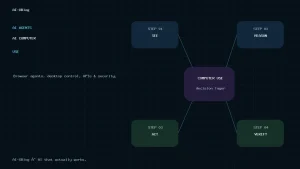
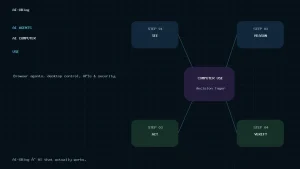
| 3 | Environment or computer-use agent | Multi-step actions inside a controlled workspace | Inspect files, run commands, use a browser or operate a sandboxed desktop |
| 4 | Multi-agent system | Task decomposition and delegation across agents | Lead researcher delegates independent research paths to specialist agents |
Level 0: deterministic workflow
Use ordinary automation when the path is known. This is not “less advanced”; it is often the better engineering choice. Fixed paths are easier to test, cheaper to operate and easier to audit.
Level 1: AI-assisted workflow
The model interprets something difficult to express as rules—text, an image, a document, an intent—but does not control the overall process. This is a strong default for business automation because the uncertain part stays narrow.
Level 2: bounded tool-using agent
The agent receives a goal plus a limited tool set and can choose its next action. The important word is bounded. Tools should expose the smallest capabilities the agent needs, and permissions should match the task rather than the user’s full access.
Level 3: environment or computer-use agent
At this level, the agent can operate in a computational environment: files, shell commands, a browser, applications or a virtual desktop. OpenAI’s 2026 work on the Responses API and Agents SDK reflects how much infrastructure this requires—intermediate files, state, retries, network access, tool execution and controlled sandboxes are part of the product, not afterthoughts.
The capability is powerful because it lets an agent complete work rather than only suggest steps. It is also where containment becomes critical: the environment should define what the agent can reach, not merely ask the model to behave.
Level 4: multi-agent system
Multi-agent architecture is justified when the task benefits from parallel independent work, separate context windows or specialist roles. Anthropic’s production research system is a useful example: a lead agent delegates independent search paths to subagents, then synthesizes the results. For a current coding example of coordinator-led parallel work, see our Claude Code Projects guide.
But “more agents” is not automatically better. In Anthropic’s published research-system data, agents used roughly 4× the tokens of chat interactions and its multi-agent system used roughly 15× the tokens of chats. Those figures describe one specific system, not a universal benchmark, but the direction is important: multi-agent performance can come with materially higher resource use and coordination complexity.
The production agent stack: what actually matters
A production agent is more than “an LLM plus tools.” The model may be the reasoning engine, but the surrounding system determines whether the agent can work reliably and safely.
- Model or controller: decides what to do next based on the goal, context and tool results.
- Instructions and policy: define the task, boundaries, escalation rules and stop conditions.
- Tools: APIs, functions, search, code execution, file operations, browser/computer use and business actions.
- Context and state: working memory, durable task state, intermediate artifacts and selected business data.
- Identity and authorization: who the agent is acting for and which permissions it actually receives.
- Execution environment: sandbox, container, VM, browser or managed runtime where actions happen.
- Observability: traces, tool-call logs, decisions, failures, retries, costs and audit history.
- Evals: repeatable tests for task success, policy compliance and failure modes before changes reach production.
- Guardrails and containment: deterministic limits on inputs, outputs, tools, data, network access and consequential actions.
MCP vs A2A: two different interoperability problems
Latest A2A status in September 2026: v1.0 is stable, v1.1 is still roadmap work
The latest released Agent2Agent specification remains A2A v1.0.0. The A2A project shipped v1.0 as its first stable production-ready release in March 2026. On August 27, A2A joined the Agentic AI Foundation as a Growth Stage project, and its roadmap updated September 15 lists v1.1 protocol enhancements, bidirectional streaming, an A2A CLI and richer elicitation/multi-turn workflows as near-term initiatives. Those roadmap items are active development priorities, not a newer stable protocol release.
MCP and A2A are often mentioned together, but they solve different problems.
| Protocol | Primary relationship | What it standardizes | Think of it as |
|---|---|---|---|
| MCP | AI application / agent ↔ tools, resources and external context | How clients discover and invoke capabilities or access resources | A standard interface to capabilities and context |
| A2A | Agent ↔ independent agent | Discovery, communication, task collaboration and exchange between agents | A common language for agents to work with other agents |
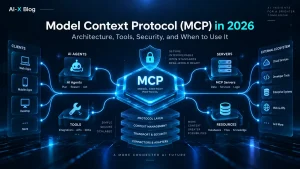
The July 28, 2026 MCP specification is a major architectural revision: it removes the protocol-level session and old initialize lifecycle from the modern wire format, adds header-based routing and cache hints, moves long-running Tasks into an extension, introduces Multi Round-Trip Requests for request-bound server-to-client interaction, and hardens OAuth-style authorization. A2A solves a different boundary: its official 1.0 specification standardizes how independent, potentially opaque agents discover capabilities, negotiate interaction formats and collaborate without exposing their internal memory or tools. In practice, MCP is the vertical integration layer between an agent and capabilities; A2A is the horizontal collaboration layer between independently operated agents.
MCP does not turn a workflow into an agent. It gives compatible systems a standardized way to expose tools and context. Likewise, A2A does not mean every business process should become multi-agent. Use each protocol when interoperability is the actual problem you need to solve. For the protocol architecture, 2026-07-28 changes, security model and deployment checklist, see our Model Context Protocol (MCP) guide.
The AI-XBlog Blast-Radius Matrix
The most useful way to think about agent security is not “How smart is the model?” but “What can go wrong if this agent makes one bad decision?”
| Action class | Examples | Default control |
|---|---|---|
| Observe | Search, read docs, inspect logs, query read-only data | Least privilege, source controls, logging |
| Draft | Create a draft email, proposal, ticket response or code patch | Automatic is often reasonable; require review before external effect |
| Reversible write | Update staging data, create an issue, move a file inside a controlled workspace | Scoped permissions, validation, rollback path and trace |
| External or hard-to-reverse action | Send email, publish content, place an order, deploy software, delete production data | Deterministic policy and explicit approval when consequences are material |
| Privileged action | Change permissions, access secrets, production admin, unrestricted code or network access | Strong containment, short-lived credentials, allowlists, egress controls and narrow approval |
This is why approval prompts alone are not enough. Anthropic reported that users approved roughly 93% of permission prompts in one Claude Code context, illustrating approval fatigue. Its 2026 containment work emphasizes hard environmental boundaries—sandboxes, virtual machines, filesystem limits and egress controls—so the agent cannot reach resources it was never meant to access.
OpenAI describes prompt injection in similar system terms: an attack becomes dangerous when untrusted content can influence an agent that also has access to a consequential “sink,” such as transmitting sensitive data or calling a powerful tool. The practical defense is layered: reduce untrusted input, reduce dangerous capability, separate read and write access, require confirmation for consequential actions and contain the execution environment.
Prompt injection changes when agents can act
Prompt injection is not new, but agentic systems change the stakes. A manipulated webpage, file, email or tool output can become part of the agent’s context. If that same agent can send data, execute commands or change external systems, a misleading instruction can become an action.
That creates a simple design principle: treat externally retrieved content as untrusted data, not trusted instructions. The more untrusted content an agent can read, the more carefully you should control what it can write, execute or transmit.
OWASP’s 2026 agentic guidance expands the threat model beyond prompt injection to include tool misuse, identity and privilege abuse, agentic supply-chain risks, unexpected code execution, memory/context poisoning, insecure inter-agent communication, cascading failures and rogue behavior. Its September 2026 Agent Control Standard adds a second important idea: enterprises need runtime visibility and control, not only model-level safety.
Evals and observability are part of the architecture
Traditional unit tests are necessary but insufficient for agent behavior. Agents can take different paths to the same goal, react differently to tool failures and accumulate small errors over long tasks.
Anthropic’s 2026 agent-evals guidance makes the core problem clear: the autonomy and multi-turn tool use that make agents useful are also what make them harder to evaluate. OpenAI’s agent tooling similarly emphasizes tracing and inspection of workflow execution.
- Task success: did the agent actually complete the objective?
- Path quality: did it use appropriate tools without unnecessary loops?
- Policy compliance: did it stay inside permission and data-handling rules?
- Failure recovery: what happens when a tool times out, returns bad data or becomes unavailable?
- Stop behavior: can the agent recognize when it has enough information or when it should escalate?
- Cost behavior: how many model turns, tool calls, retries and subagents are used for an acceptable result?
What does an AI agent actually cost?
There is no useful universal “cost per agent task.” The architecture determines the bill.
A practical total-cost model is:
Agent cost = model inference + tool/API usage + execution environment + orchestration/retries + storage/state + observability/evals + human review + failure cost.
The failure-cost term is easy to ignore and often the most important. A cheaper agent that sends the wrong customer email, publishes incorrect data or changes a production system can be more expensive than a slower workflow with tighter controls.
Cost is also why multi-agent designs need economic justification. Parallel subagents can buy breadth and separate context, but they also multiply model and tool activity. Use multi-agent architecture when parallel exploration or specialist decomposition creates enough value to justify that overhead.
Do you actually need an agent?
| Question | If yes | If no |
|---|---|---|
| Can the steps be completely defined in advance? | Prefer a workflow | Continue |
| Is the hard part interpreting messy or unstructured input? | Try AI inside a fixed workflow first | Continue |
| Must the system choose among tools or strategies at runtime? | A bounded agent may be justified | Stay with the workflow |
| Does it need to operate a computer, browser or code environment? | Use a contained environment agent | Keep tool access narrower |
| Can the work be split into valuable independent parallel tasks? | Consider multi-agent orchestration | Prefer a single agent |
| Can one bad action cause material harm? | Reduce permissions and add hard controls before adding autonomy | Normal bounded controls may be sufficient |
Where agents are a good fit
- Open-ended research: the system has to change search strategy as it discovers new information.
- Support investigation: the agent must inspect multiple systems and determine which evidence matters before proposing a resolution.
- Complex coding work: inspect files, run commands, test changes and revise based on results inside a controlled environment. For a current tool-level comparison, see our Cursor vs Claude Code in 2026 guide.
- Operational analysis: correlate logs, documentation, tickets and system state before recommending or executing a bounded action.
- Document-heavy knowledge work: gather evidence from multiple sources, create an artifact and refine it over several steps.
Where a workflow is usually better
- Moving records between systems on a predictable trigger.
- Applying stable business rules or validation.
- Tasks where every output must be deterministic or exactly reproducible.
- High-volume low-value work where agent exploration would add cost without adding meaningful judgment.
- Consequential actions where the model has no legitimate reason to choose among different strategies.
Agent readiness checklist
Before production, the team should be able to answer all of these questions clearly:
- What exact goal is the agent allowed to pursue?
- Which tools are necessary, and which are merely convenient?
- Which tools are read-only, reversible-write, irreversible or privileged?
- What data can the agent read, and what data must never enter its context?
- Are credentials scoped, short-lived and separate from broader user/admin access?
- What external content is untrusted?
- Which actions require deterministic policy checks or human approval?
- What sandbox, filesystem, network and egress boundaries limit the blast radius?
- What gets logged and traced?
- What eval set must pass before a prompt, model, tool or orchestration change ships?
- What are the retry limit, time limit, tool-call limit and cost budget?
- When should the agent stop, ask a human or fall back to a deterministic workflow?
What changed in 2026?
The useful change is not that agents suddenly appeared in 2026. It is that the surrounding infrastructure is maturing.
- Managed agent runtimes are becoming products: OpenAI’s Agents API is now in public beta for long-running cloud agents with managed context, tools, environments and subagents.
- MCP is becoming infrastructure: the July 2026 spec moved to a stateless core and expanded authorization and extension mechanisms.
- Agent-to-agent interoperability is standardizing: A2A is now a Linux Foundation project and its specification defines discovery and collaboration between independent agent systems.
- Security guidance is agent-specific: OWASP’s Agentic Top 10 and Agent Control Standard go beyond generic LLM security into identity, tools, runtime control and agent-to-agent risk.
- Containment and evals are first-class engineering work: vendors are publishing concrete lessons about sandboxes, approval fatigue, tracing, long-running state and behavioral evaluation.
AI-XBlog recommendation
Build the least autonomous system that can do the job well.
Start with a deterministic workflow. Put AI inside the workflow when interpretation is the problem. Add a bounded tool-using agent when runtime decisions create real value. Give an agent a computer environment only when the task genuinely needs it and the environment can be contained. Use multiple agents when the work is valuable, parallelizable and large enough to justify the additional cost and coordination.
The best agent architecture is not the one with the most autonomy. It is the one that delivers enough autonomy to complete the task while keeping cost, uncertainty and blast radius inside boundaries the organization can actually operate.
Primary sources
- Anthropic — Building effective agents
- Anthropic — Demystifying evals for AI agents
- Anthropic — How we contain Claude across products
- Anthropic — How we built our multi-agent research system
- OpenAI — Introducing the Agents API
- OpenAI — From model to agent: equipping the Responses API with a computer environment
- OpenAI — Designing AI agents to resist prompt injection
- OpenAI — A practical guide to building agents
- Model Context Protocol — 2026-07-28 specification release
- A2A Protocol — v1.0.0 official specification
- A2A Protocol — current roadmap
- A2A Protocol — joining the Agentic AI Foundation
- OWASP — Top 10 for Agentic Applications 2026
- OWASP — Agent Control Standard
Source check: September 16, 2026. Agent platforms, protocols and security practices are changing quickly; this page is maintained as living content.
AI-XBlog Weekly Brief
Keep up with AI that actually works
Join the AI-XBlog Weekly Brief for major AI updates, practical workflows, useful tools, and editor’s picks. No daily noise.
Reader discussion
Join the discussion
Have you tried this tool or workflow? Share your experience, corrections, or questions. Useful reader feedback may help us improve this article.
All comments are reviewed before publication. Your email address will not be published. Promotional links and low-value spam are removed.