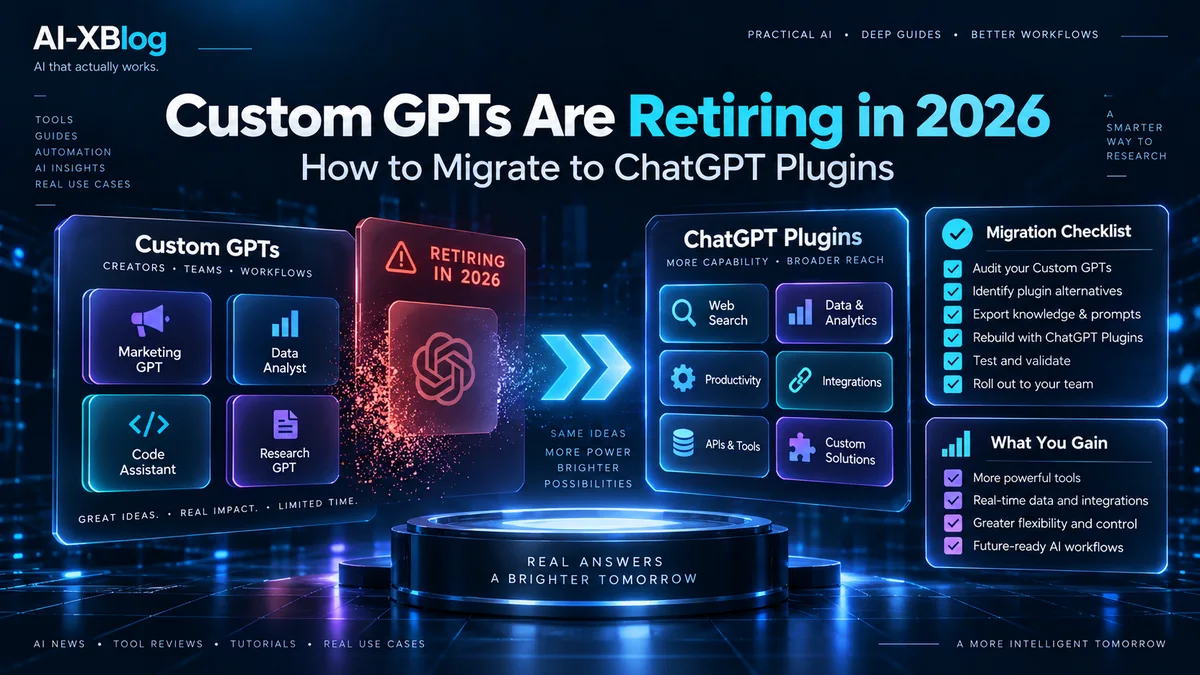
OpenAI is retiring custom GPTs across ChatGPT plans, with the current Help Center scheduling retirement for December 11, 2026. Existing GPTs can still run until the retirement date, but OpenAI is moving reusable workflows toward its newer plugin system. If you built a GPT that matters to your work, the important question is no longer whether the change is coming—it is what will transfer, what will not, and what you need to rebuild before the cutoff.
This guide focuses on the migration mechanics rather than the announcement headline. It is based on OpenAI’s current retirement FAQ, GPT documentation, and plugin documentation. The key detail is that migration is not a perfect copy: instructions, knowledge files, and connected apps can move into a plugin, while selected models, existing conversations, custom actions, and sharing settings do not automatically carry over.
Source check: September 25, 2026. OpenAI still lists December 11, 2026 as the standard retirement date, while qualified Enterprise workspaces with an approved deferral can have a February 11, 2027 retirement date. Migration access and workspace-specific dates can vary, so your in-product notice takes priority.
The short version: what changed?
| Area | Previous custom GPT workflow | Current transition |
|---|---|---|
| New personal GPT creation | Personal paid users could historically build custom GPTs | OpenAI says new GPT creation and publishing are no longer available on personal Free, Go, Plus, or Pro accounts |
| Existing GPTs | Usable and editable based on plan and permissions | Remain usable until retirement; eligible owners can prepare them for migration |
| Replacement format | Custom GPT | Plugin that can package skills, reference files, and connected apps |
| Scheduled retirement | No fixed end date | December 11, 2026 standard; February 11, 2027 only for qualified Enterprise workspaces with an approved deferral |
| Migration | Not applicable | Built-in ‘Migrate to plugin’ flow is rolling out by account/workspace |
OpenAI’s general GPT documentation now says personal ChatGPT accounts—including Free, Go, Plus, and Pro—cannot create or publish new GPTs. Existing GPTs remain available, and users may still be able to edit GPTs they created when their plan and permissions allow it. Managed Business, Enterprise, and Edu workspaces can still have GPT creation and publishing where workspace settings permit, but affected Enterprise workspaces have their own planned cutoff milestones.
Custom GPT retirement timeline
The standard date to watch is December 11, 2026: OpenAI’s current migration FAQ says custom GPTs are scheduled to stop running then for the standard transition. A qualified Enterprise workspace with an approved deferral can instead have a February 11, 2027 retirement date. Migration availability can arrive earlier or later for different accounts, and OpenAI explicitly warns that a target migration date does not guarantee the option will appear everywhere at once.
For affected Enterprise workspaces, the current FAQ lists these planned milestones:
- September 11, 2026: admin notice to begin preparing.
- September 22, 2026: target for the migration experience and user banner.
- October 26, 2026: planned end of new custom GPT creation for affected Enterprise workspaces.
- December 11, 2026: standard scheduled retirement; custom GPTs and their GPT pages become inaccessible at the applicable retirement date.
- February 11, 2027: retirement only for qualified Enterprise workspaces with an approved deferral.
If your workspace notice gives a different date, follow that notice. OpenAI is treating these milestones as rollout targets rather than immutable guarantees.
What is replacing custom GPTs?
OpenAI is steering reusable ChatGPT workflows toward plugins. In the 2026 architecture, a plugin can include a skill with reusable instructions, one or more connected apps for external data or actions, and app templates that help administrators configure workspace-specific integrations.
That terminology matters because “plugin” is now broader than a single external integration. An app still connects ChatGPT or Codex to a service such as Google Drive or Slack. A plugin packages workflow capabilities and can combine instructions with one or more apps. OpenAI moved the former app directory into the Plugin Directory on July 9, 2026, so older tutorials that treat apps and plugins as interchangeable can be confusing.
For a broader look at how connected workflows fit into OpenAI’s current product stack, see our ChatGPT Work guide. If you are building programmatic agents outside the ChatGPT product, our OpenAI Agents API guide covers the API-side architecture instead.
What transfers from a custom GPT to a plugin?
| Custom GPT component | Transfers? | What happens |
|---|---|---|
| Instructions | Yes | Become a skill in the migrated plugin |
| Knowledge files | Yes | Copied into the plugin’s reference files |
| Connected apps | Yes | Added to the plugin as apps, subject to access and authorization |
| Selected model | No | The GPT’s model choice does not carry over |
| Existing GPT conversations | No | Conversation history is not migrated |
| Custom actions | No | Must be replaced with a supported app or rebuilt integration, potentially using MCP |
| Sharing settings | No | The replacement starts private; access must be configured again |
| Unpublished drafts | No | Migration uses the latest published GPT version |
This is the practical reason to start early. A GPT that is mostly instructions plus knowledge files should be relatively straightforward to migrate and test. A GPT that depends on custom actions, public distribution, or a tightly controlled workspace permission model needs more planning because those pieces are not copied automatically.
How to migrate a custom GPT to a plugin
When migration is enabled for your account, OpenAI says the flow begins in My GPTs: choose the GPT and select Migrate to plugin. Because access is rolling out, the absence of that button does not necessarily mean something is wrong.
1. Inventory the GPTs that actually matter
Do not start by migrating everything. Identify which GPTs are still used, who owns them, which teams or customers depend on them, and whether they contain instructions, files, apps, or custom actions. A rarely used GPT with no unique workflow value may be better archived than rebuilt.
2. Publish essential edits before migration
OpenAI’s migration workflow uses the latest published version. Drafts and unpublished edits do not transfer. Finish any essential changes before you migrate; publishing does not require making the GPT public.
3. Save representative test prompts
Keep a small test set that represents what the GPT is supposed to do: a typical request, an edge case, a harder request, and—if relevant—a request that uses files or an external integration. OpenAI explicitly recommends comparing familiar prompts and at least one harder case after migration because the replacement may behave differently.
4. Run “Migrate to plugin” and review what was copied
Check the migrated skill instructions, reference files, and any included apps. Do not assume the migration is equivalent just because it completes successfully. The selected model does not transfer, and app behavior still depends on each app’s supported capabilities and permissions.
5. Rebuild custom actions separately
Custom GPT actions are the biggest migration risk. OpenAI says they do not transfer through the built-in workflow. First check whether the Plugin Directory already provides an app that can perform the tasks you need. If not, a custom integration may need to be rebuilt with a supported app or custom MCP server, depending on your account and workspace capabilities.
For security-sensitive workflows, treat this as a fresh integration review rather than a mechanical port. Reconfirm what the replacement can read and write, which account it acts as, when approvals are required, and whether the new permission scope is broader than the original. Our AI Agent Security guide explains why connector permissions and downstream identities can define the real blast radius of an agent workflow.
6. Rebuild access and sharing
A migrated plugin starts private. The GPT’s old sharing settings do not carry over, and existing GPT users do not automatically receive access to the replacement. In managed workspaces, administrators may need to enable plugins, approve underlying apps, and configure role access before intended users can install or run the replacement.
7. Test before switching users
Compare your saved prompts against the migrated plugin. Verify instruction following, reference-file use, output format, app calls, approvals, and error behavior. If a workflow produces files or performs external actions, test those paths separately. OpenAI warns that a rebuilt integration should not be assumed to reproduce every capability of the original custom action.
What happens to the original GPT after migration?
The original GPT remains usable until the retirement date, but OpenAI says it becomes read-only after migration. The creator can no longer delete that migrated original, and future changes should be made to the plugin. At retirement, custom GPTs are scheduled to stop running and leave the GPT directory.
That creates a useful transition window: migrate early enough to test the replacement while the old GPT still runs, rather than waiting until the final days when you no longer have time to compare behavior or fix access problems.
Who will be able to use the replacement plugin?
The Plugin Directory is visible across ChatGPT plans, but that does not mean every plugin or capability works for every user. OpenAI says install and use depend on plan, workspace, role, region, product surface, and the capabilities of the plugin’s included apps.
Underlying app permissions still apply. Installing a plugin does not grant broader access to Google Drive, Slack, GitLab, or another provider. Users must still authenticate where required, and managed-workspace policies can restrict actions, approvals, roles, and sync. This is especially important when replacing a GPT that was publicly shared: old GPT access does not guarantee access to the new plugin.
Enterprise billing note: OpenAI says that, in Enterprise workspaces, using a migrated GPT replacement plugin without apps in Instant Chat has no incremental cost. Creating or editing plugins through Work or Codex uses credits, and actions performed in Work consume credits. That means the migration itself does not automatically make every replacement workflow free to operate; app-backed or Work-based actions can still carry usage costs.
What should custom GPT creators do now?
- Identify critical GPTs. Focus on workflows people actually depend on.
- Publish final essential edits. Unpublished drafts will not migrate.
- Document custom actions. These require separate replacement work.
- Save test prompts and expected outputs. You need a baseline for validation.
- Check ownership and workspace location. The timeline follows where the GPT was created.
- Migrate early when the option appears. Keep the old GPT available as a comparison until retirement.
- Rebuild sharing and permissions deliberately. The migrated plugin starts private.
- Update links and user instructions before December 11. Public GPT users will need a path to the replacement.
Does this change ChatGPT plan value?
Yes, especially for personal subscribers who previously treated “build a custom GPT” as a reason to pay for Plus or Pro. OpenAI’s current documentation says personal Free, Go, Plus, and Pro accounts cannot create or publish new GPTs. Existing GPTs can remain usable during the transition, but new reusable-workflow creation is moving toward plugins and other workflow surfaces.
That is why our ChatGPT Pricing in 2026 guide now treats custom GPT creation as a retiring capability rather than a current Plus benefit. Subscription decisions should be based on the features actually available now—models, usage limits, Work/Codex access, research tools, files, images, and other plan entitlements—not an outdated feature matrix.
FAQ
Are custom GPTs going away?
Yes. OpenAI plans to retire custom GPTs. The standard scheduled retirement date is December 11, 2026; qualified Enterprise workspaces with an approved deferral can have a February 11, 2027 retirement date. Existing GPTs remain usable until the applicable retirement date, subject to account and workspace permissions.
Can I create a new custom GPT on Plus or Pro?
Not on a personal account. OpenAI’s current GPT documentation says new GPT creation and publishing are unavailable on personal Free, Go, Plus, and Pro accounts. Managed Business, Enterprise, and Edu workspaces can still have creation access where workspace settings and the transition timeline allow it.
Will my custom GPT conversations migrate?
No. Existing GPT conversations do not move to the plugin.
Will custom actions migrate automatically?
No. OpenAI says custom actions do not transfer. You must replace them with supported apps or rebuild the integration, potentially with MCP depending on your account or workspace.
Will the plugin behave exactly like the GPT?
Not necessarily. OpenAI specifically recommends testing familiar prompts and at least one harder case, then checking instructions, reference material, tools, and output formats before relying on the replacement.
Does migration preserve sharing?
No. The replacement starts private, and previous GPT users do not automatically get access. Sharing and workspace permissions must be configured again.
Bottom line
Custom GPT retirement is not just a rename. OpenAI is moving reusable workflows into a plugin architecture that separates reusable instructions, reference files, apps, and workspace controls. The built-in migration path should preserve the easiest parts of many GPTs, but custom actions, model choice, conversations, and distribution require separate decisions.
If a GPT is important to your work, the safest plan is to prepare it now, migrate when your account becomes eligible, validate the replacement while the original still runs, and complete the access transition well before December 11.
Official sources
- OpenAI Help Center: Custom GPT retirement and migration FAQ
- OpenAI Help Center: GPTs in ChatGPT
- OpenAI Help Center: Creating and editing GPTs
- OpenAI Help Center: Plugins in ChatGPT and Codex
- OpenAI Help Center: Apps in ChatGPT
AI-XBlog independently researches product changes from official documentation and does not claim hands-on migration testing unless explicitly stated.
AI-XBlog Weekly Brief
Keep up with AI that actually works
Join the AI-XBlog Weekly Brief for major AI updates, practical workflows, useful tools, and editor’s picks. No daily noise.
Reader discussion
Join the discussion
Have you tried this tool or workflow? Share your experience, corrections, or questions. Useful reader feedback may help us improve this article.
All comments are reviewed before publication. Your email address will not be published. Promotional links and low-value spam are removed.